
Home / Case Studies / App Development / SEOSage
Case study · Desktop app
SEOSage: a desktop SEO app for Mac and Windows.
We designed, built and ship SEOSage, an SEO audit app that crawls a whole website on your own computer and turns the results into a report you can send to a client.
- Mac (Apple silicon and Intel)
- Windows
- Microsoft Store
- Homebrew
SEOSage is our own product, built in-house by the Marketingly team, led by Deepak Sabharwal. Download a free trial.
- 2platforms: Mac and Windows
- 3builds from one codebase
- 600+releases since version 1.0
- 90automated test files
Version 1.0 shipped on 27 September 2026; version 1.141.75 on 7 November 2026. See every release in the public changelog.
The problem
Audits were either expensive or hard to explain.
Most SEO audit tools run in the cloud. They charge a monthly fee and limit how many pages you can crawl, so auditing a large site gets expensive fast. Desktop crawlers avoid the fees, but their reports are hard to explain to a client.
We wanted a tool that crawls a whole site with no page limit, on the user's own computer, and explains every problem in plain words. Crawling thousands of pages is heavy, long-running work, which is exactly what a desktop app does well: it costs nothing per page, and the data stays on the user's machine.
What we built
An audit tool that explains itself.
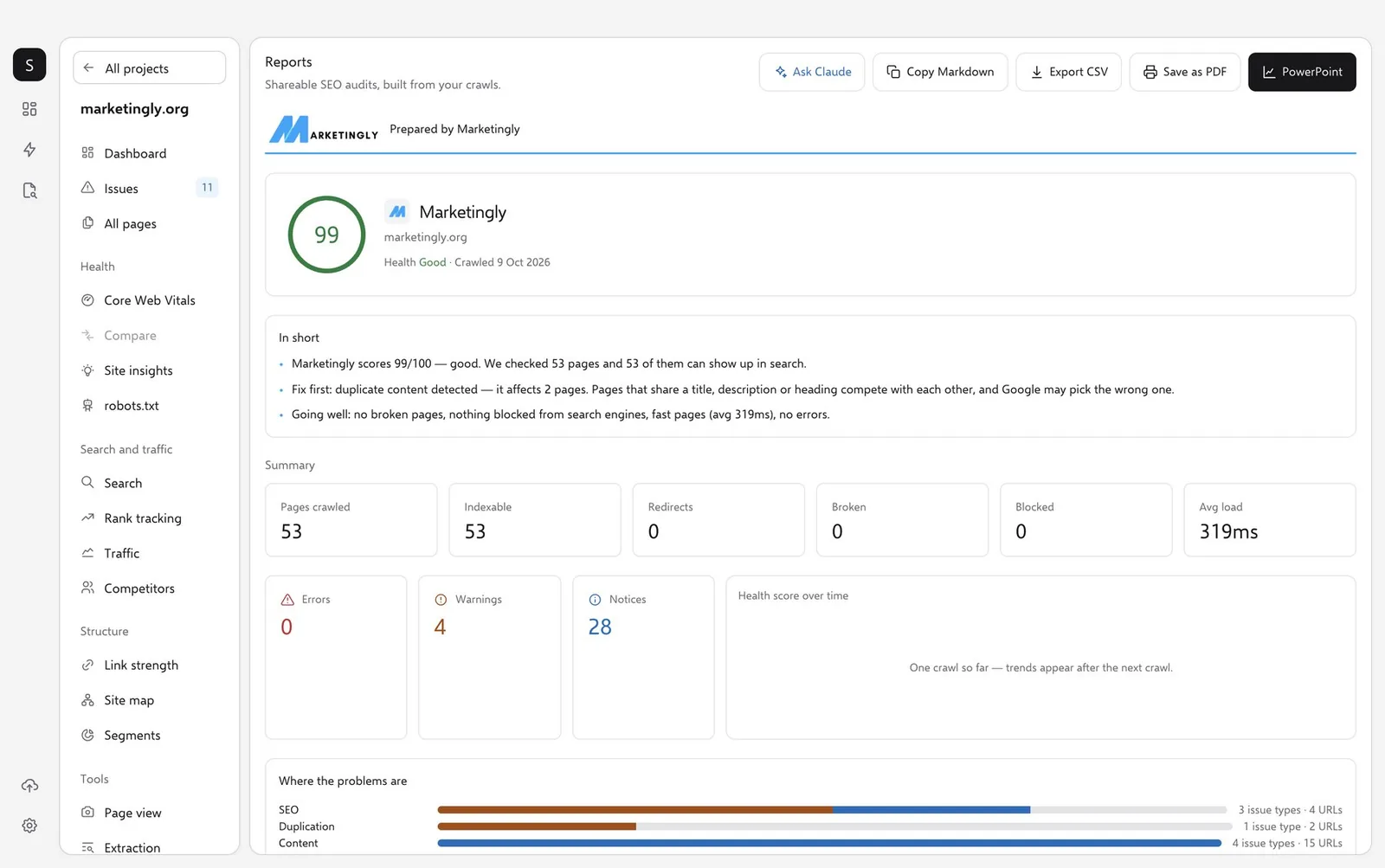
Real screens from the app, crawling marketingly.org and a demo site.
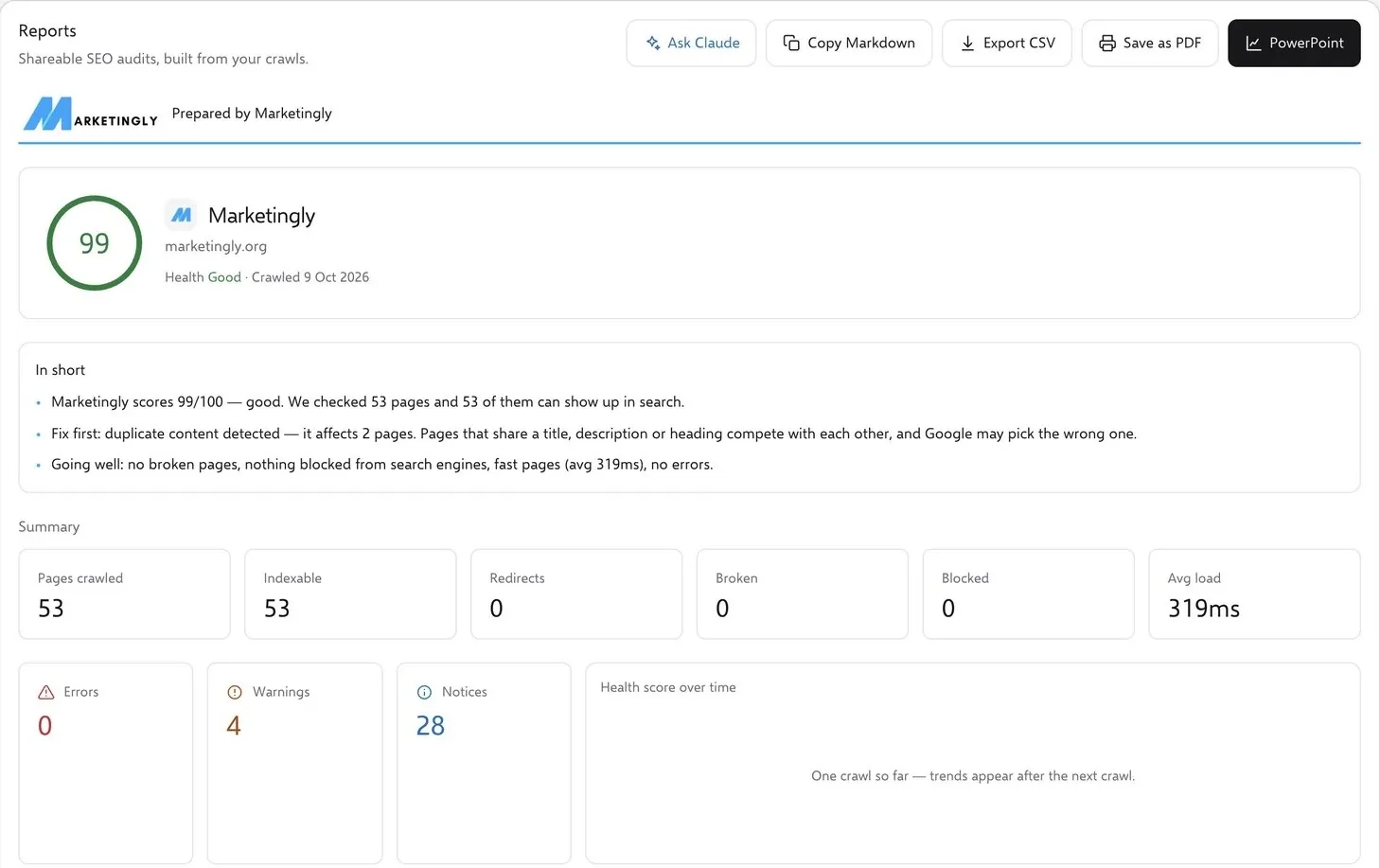
A whole-site audit in one screen
A health score, the pages crawled, and a short "in short" summary that says what to fix first, in plain English.
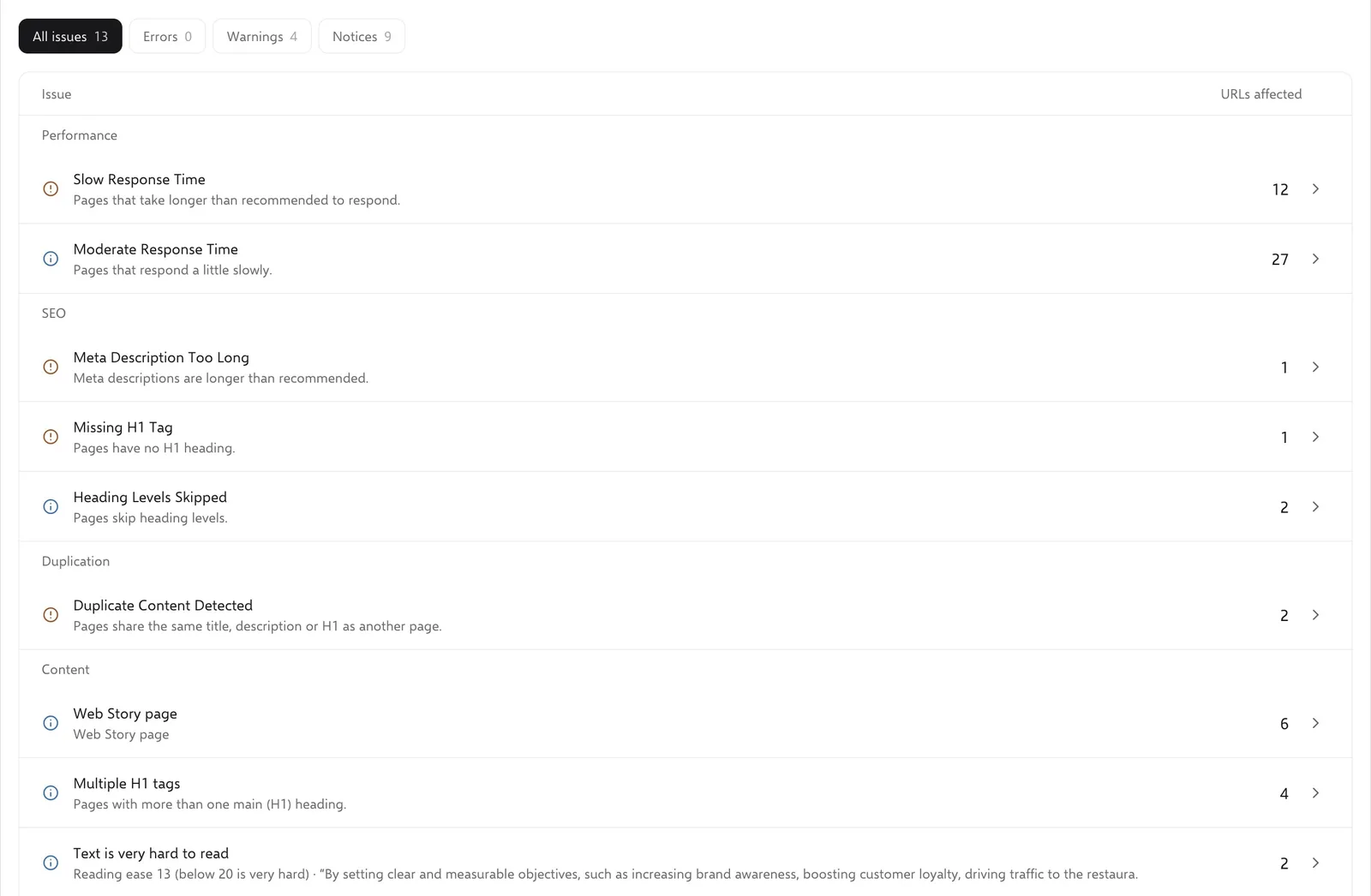
Every issue explained
Problems are grouped by area, with how many pages each one affects. Every issue says what is wrong, why it matters and how to fix it.
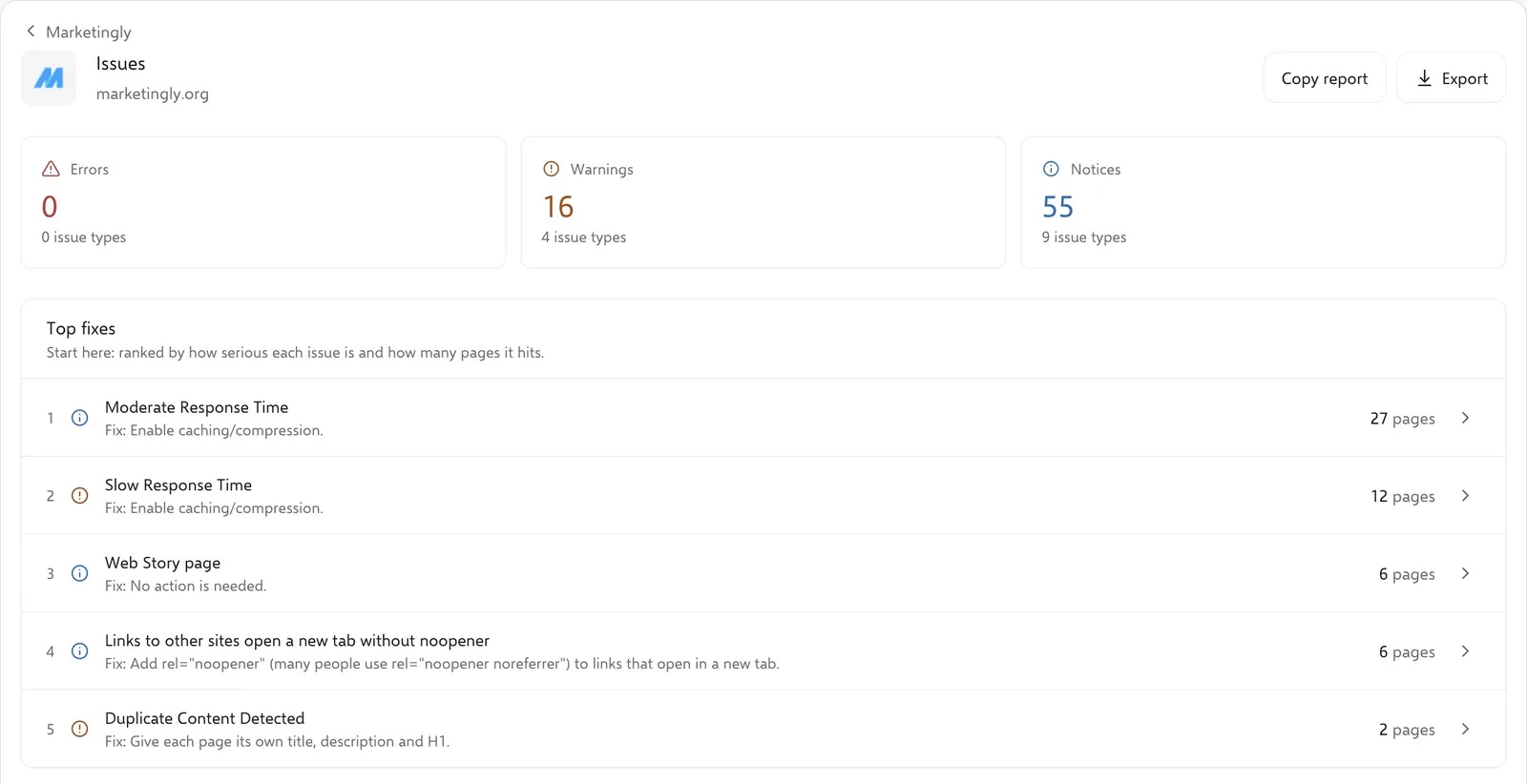
A ranked to-do list
Top fixes ranks issues by how serious they are and how many pages they hit, so the most useful work comes first.
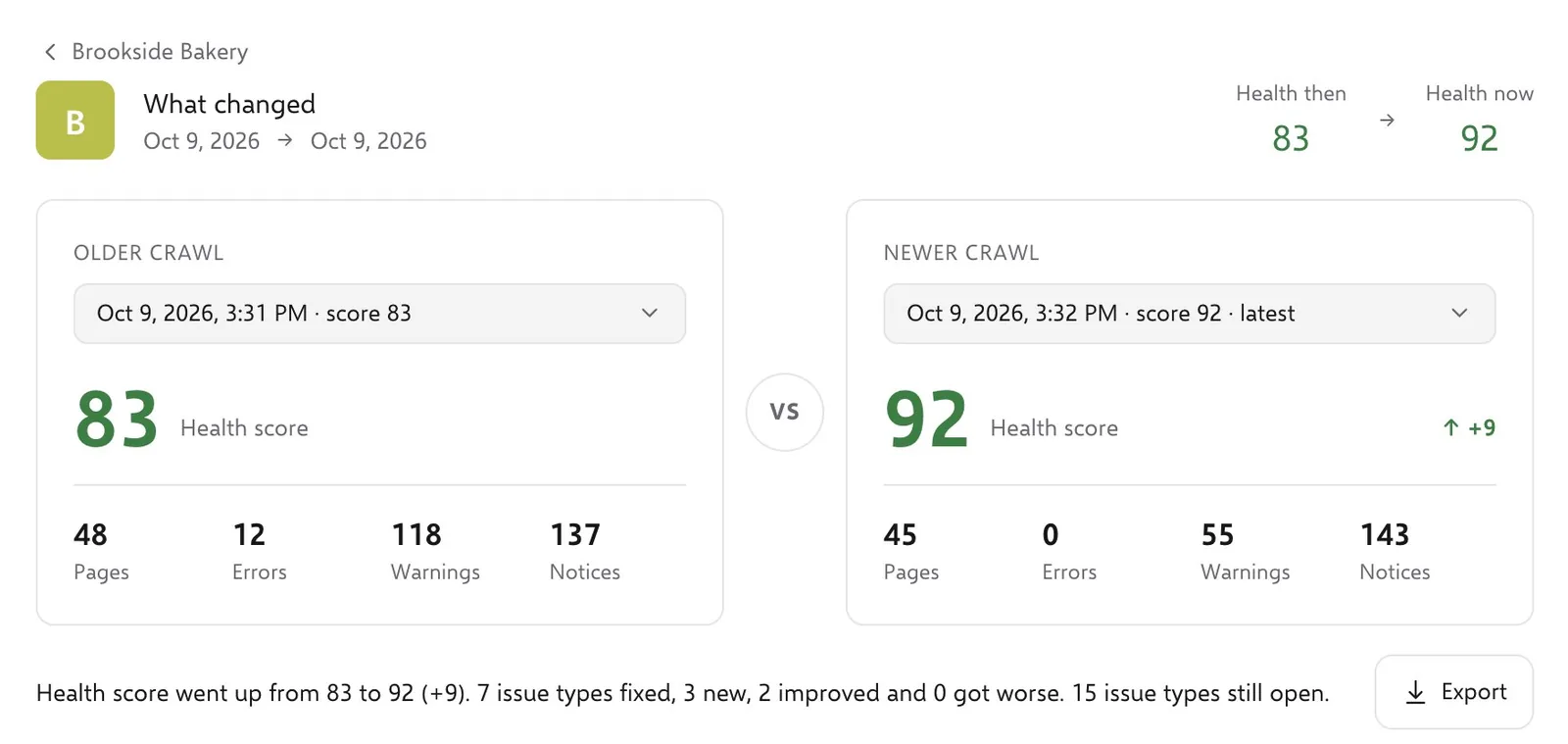
Before and after, side by side
Compare two crawls to show a client what changed: the health score, errors and warnings, then and now.
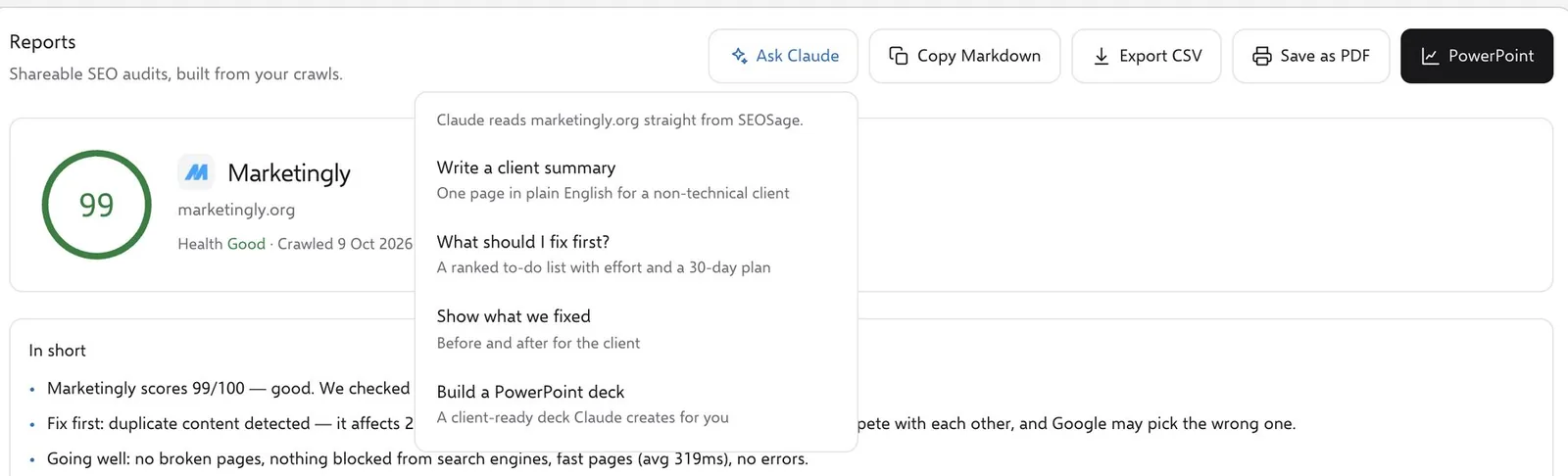
Ask Claude about the crawl
A built-in connector lets Claude read the crawl data and write a client summary, a fix plan or a PowerPoint deck.
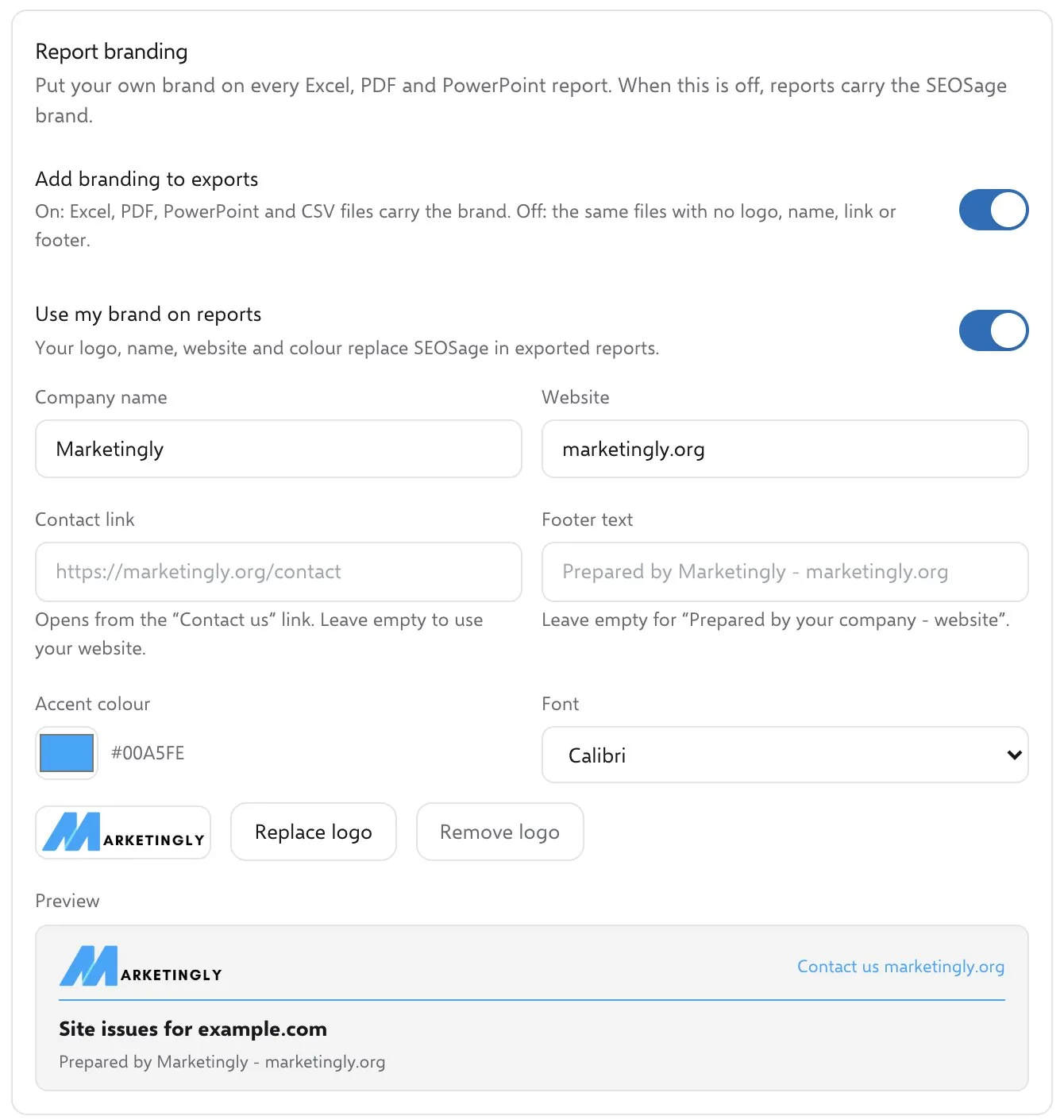
White-label reports
Agencies put their own logo, colours and contact link on every Excel, PDF and PowerPoint export.
Try it
Try SEOSage free for 14 days.
No card needed. Pick your computer to get started.

The Mac download works on Apple silicon (M-series) and Intel Macs.
brew install --cask seosageapp/tap/seosageHow we ship it
Built once, shipped everywhere, updated often.
One codebase, three builds
Every feature reaches Mac (Apple silicon and Intel) and Windows users at the same time.
Installers and stores
Mac and Windows installers, a separate Microsoft Store package that passes Microsoft's certification, and a Homebrew install for Mac.
Automatic updates
Fixes reach users within days, with a setting to switch updates off.
Small, tested releases
Automated tests and a changelog entry for every release, plus a security review in October 2026.
Try it yourself on seosage.co, or read what changed in each release.
Built with
- Electron
- Bundled crawl engine
- Automatic updates
- Microsoft Store package
- Homebrew cask
- Licence keys
- Claude connector
What we learned
Lessons we bring to every app.
Each platform has surprises
The Microsoft Store version of a Windows app keeps its files in a private folder other programs cannot see. A feature that worked in the website version could not find its files in the Store version until we fixed it. Test every build, not just one.
Updates matter as much as features
With automatic updates, a fix reaches users within days instead of waiting for them to download a new version. It is what makes small, frequent releases possible.
Small releases are safer
One change at a time is easy to test and easy to explain in the changelog. When something breaks, it is clear which change caused it.