
If you send SEO audits to clients, you have probably done this: run a crawl in a tool, copy the numbers into a slide, fix the fonts, and hope nobody notices the tool’s logo in the corner. A white label SEO audit tool removes that last step. The report carries your name, your logo and your colours, and the client never sees the software behind it.
This guide covers what white label means in practice, what a client-ready audit report should say, and the questions worth asking before you pay for a tool. We built one ourselves, SEOSage, so you will find a section on where it fits near the end, including where it does not.
What “white label” means for an audit tool
A white label tool lets you put your own brand on what it produces. For an SEO audit tool that usually means your logo and colours on every report, and your company name where the vendor’s name would normally appear.
The test is simple: could you send the file to a client without them knowing which tool made it? Branding is sometimes applied to one format and not another, so check each export you plan to send, not just the one in the demo.
What a client report needs to say
A client does not want a list of 400 warnings. A good audit report answers three questions:
- How healthy is the site?
- What is wrong, and what matters most?
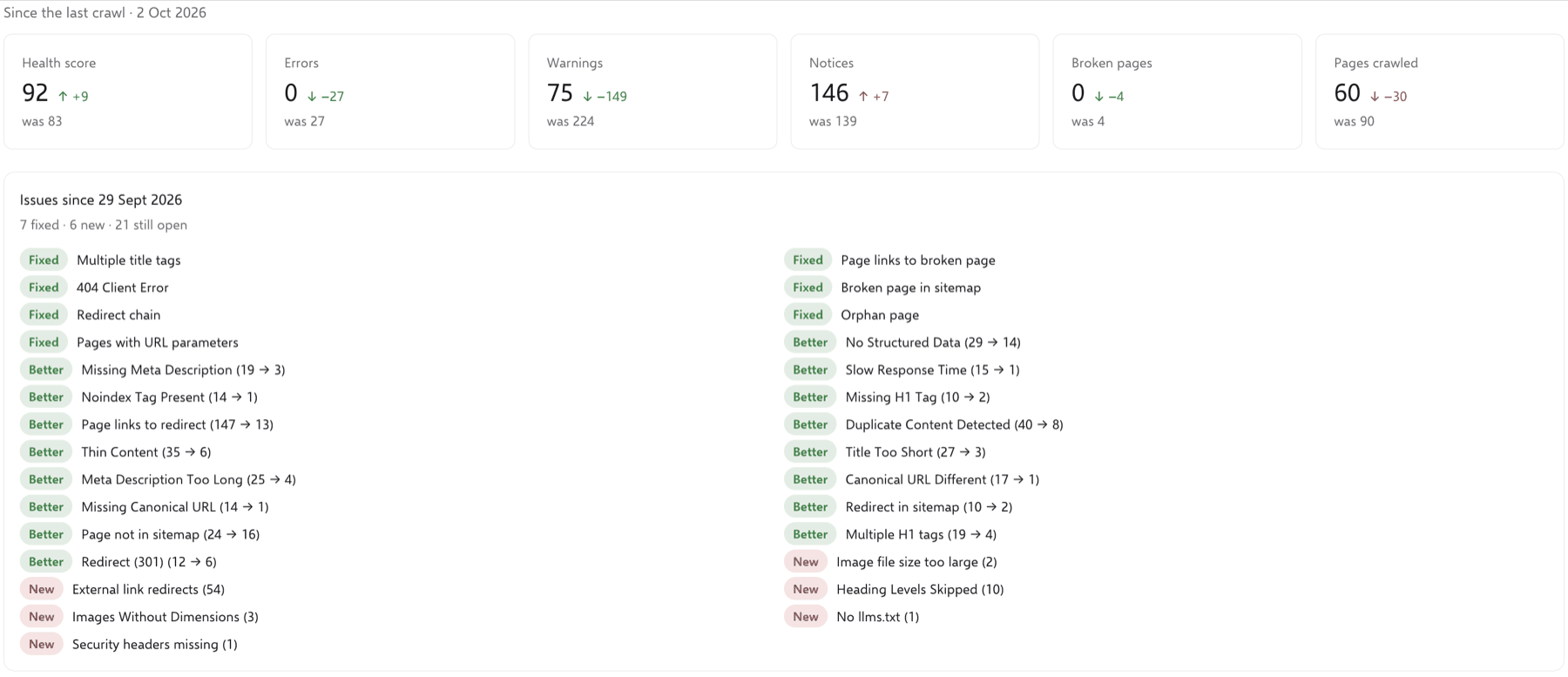
- What has changed since the last audit?
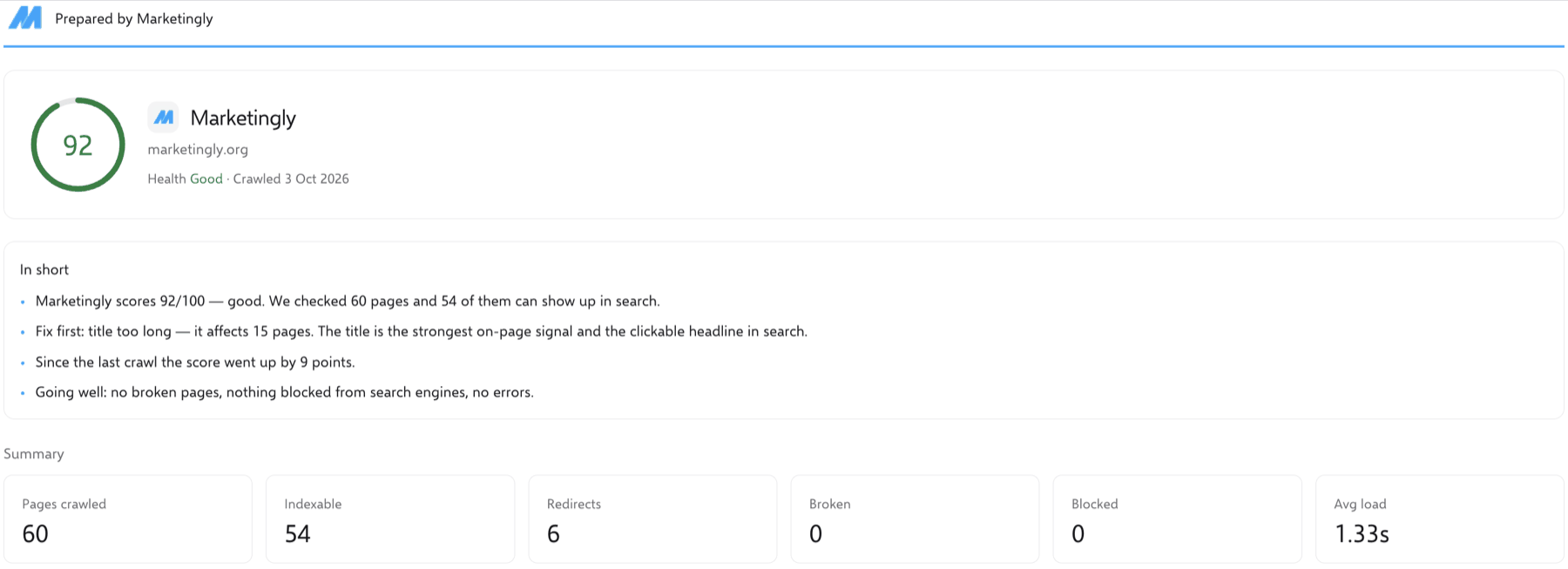
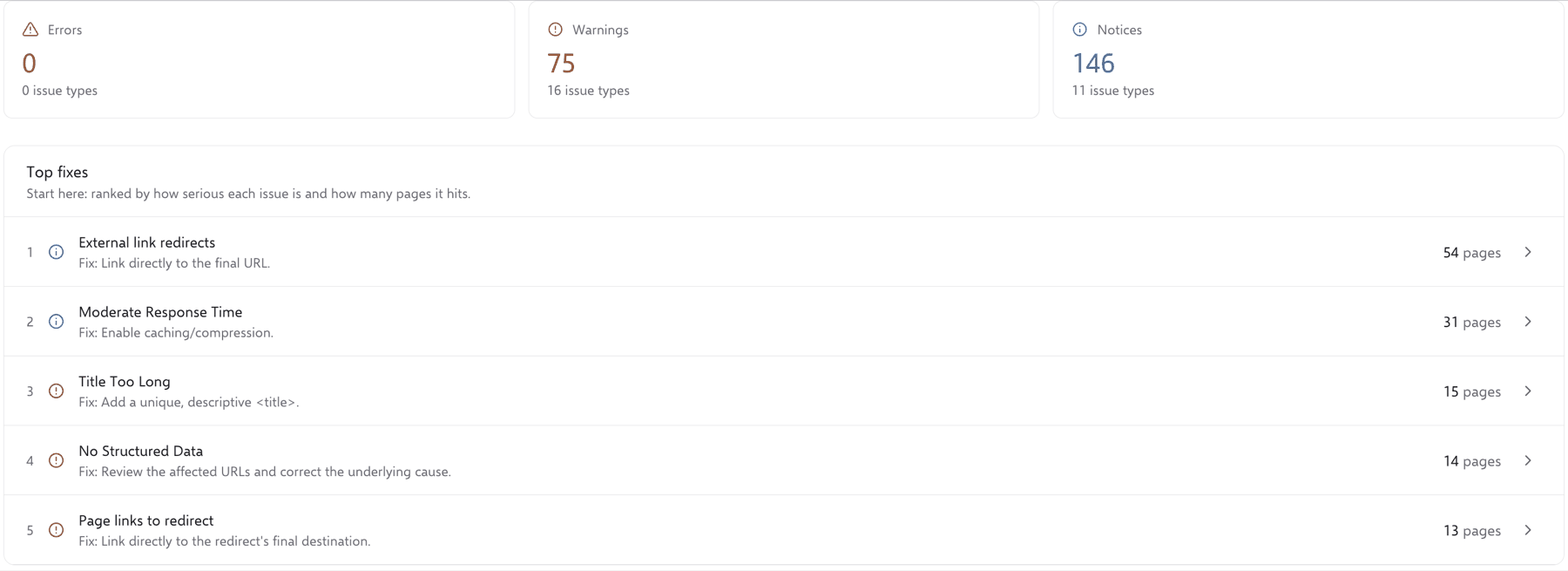
Start with a health score or a plain status, then show the numbers behind it: pages crawled, indexable pages, redirects, broken pages and blocked pages. Rank the problems by how serious they are and how many pages they affect, so the client sees the two or three things to fix first. Finish with the change since last time. Clients forget what you told them last quarter, and a comparison reminds them that the work is moving.
If you want to see what a full audit covers, our technical SEO audit page lists the areas we check by hand and by crawler.
Seven questions to ask before you choose a tool
1. Is your brand on every export?
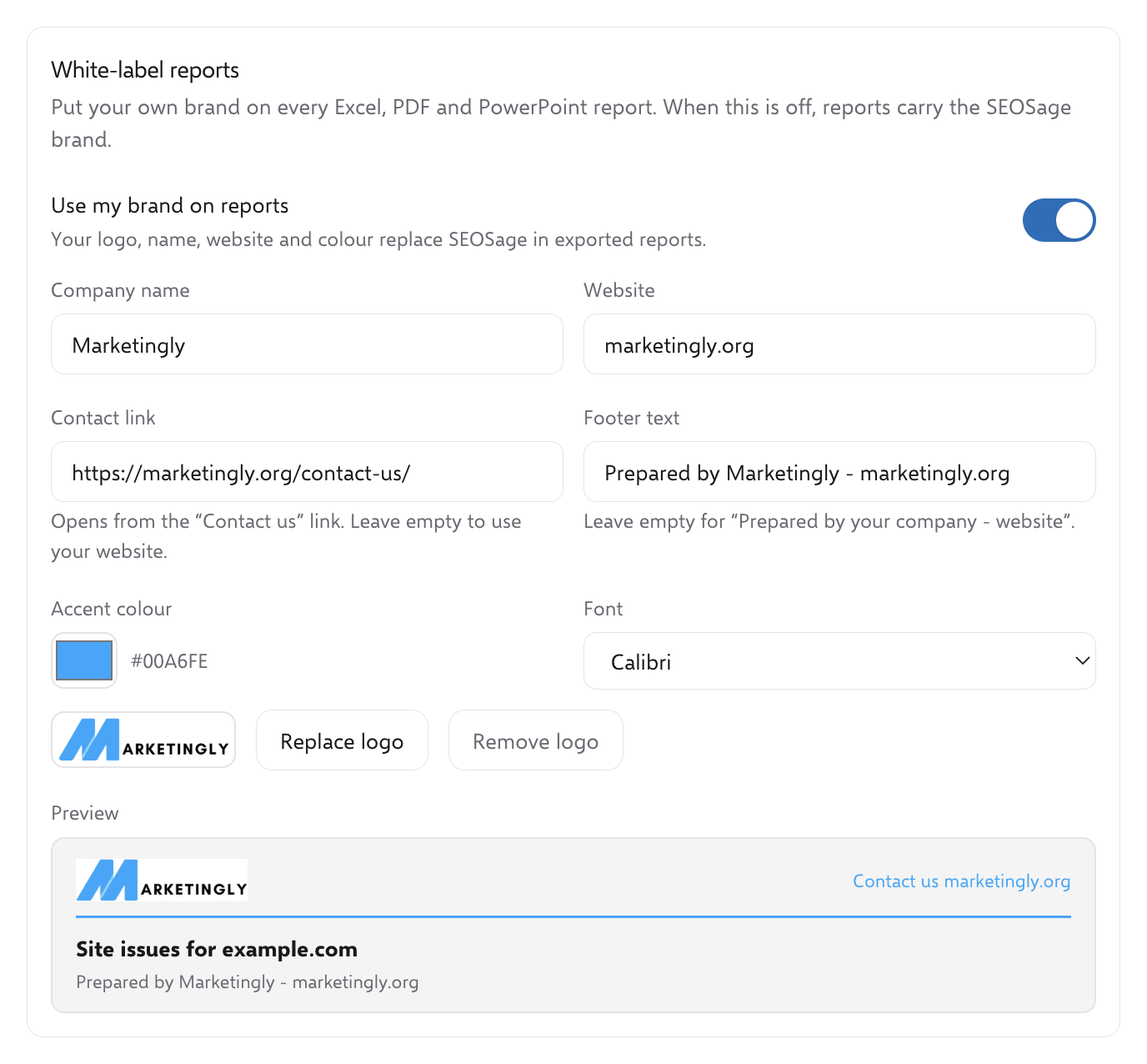
Ask to see the PDF, the slide deck and the spreadsheet with your own logo, not the vendor’s sample. If one of them still carries the tool’s name, you will edit it by hand every month.
2. Which formats can you send?
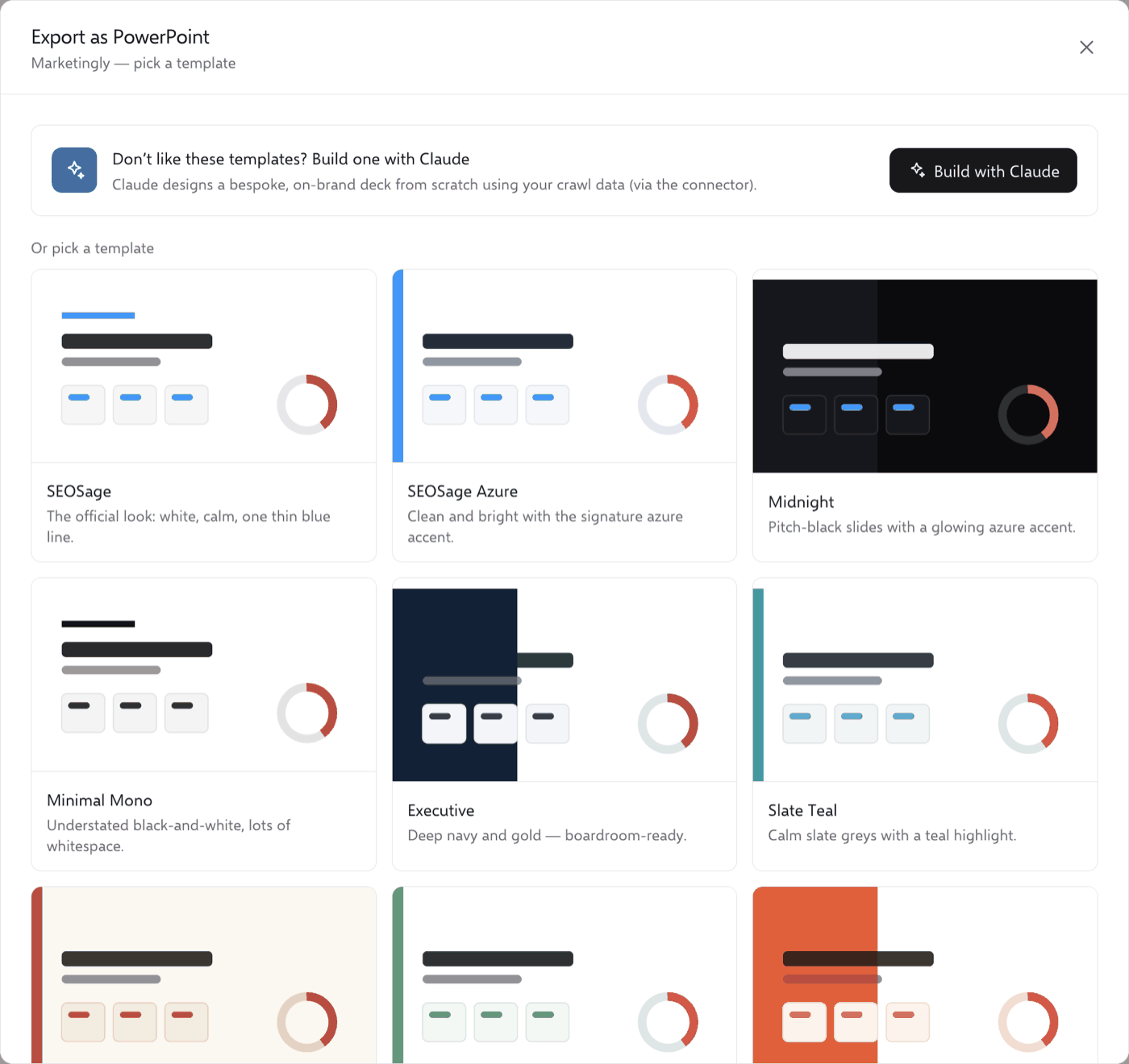
PDF is easy to forward. PowerPoint lets the client or your own team pull slides into a bigger deck. A spreadsheet or CSV suits the developer who will fix the problems. A tool that offers only one of these will cost you time somewhere.
3. Is there a page limit?
If the tool caps the pages you can crawl each month, you end up planning audits around the cap. Check how the cap is counted: per website, or shared across all your clients.
4. How is it priced?
Some tools charge per client or per website, others charge one flat fee. Work out the cost for the number of clients you have today and the number you want in a year. A price that looks small for one client can look very different for ten.
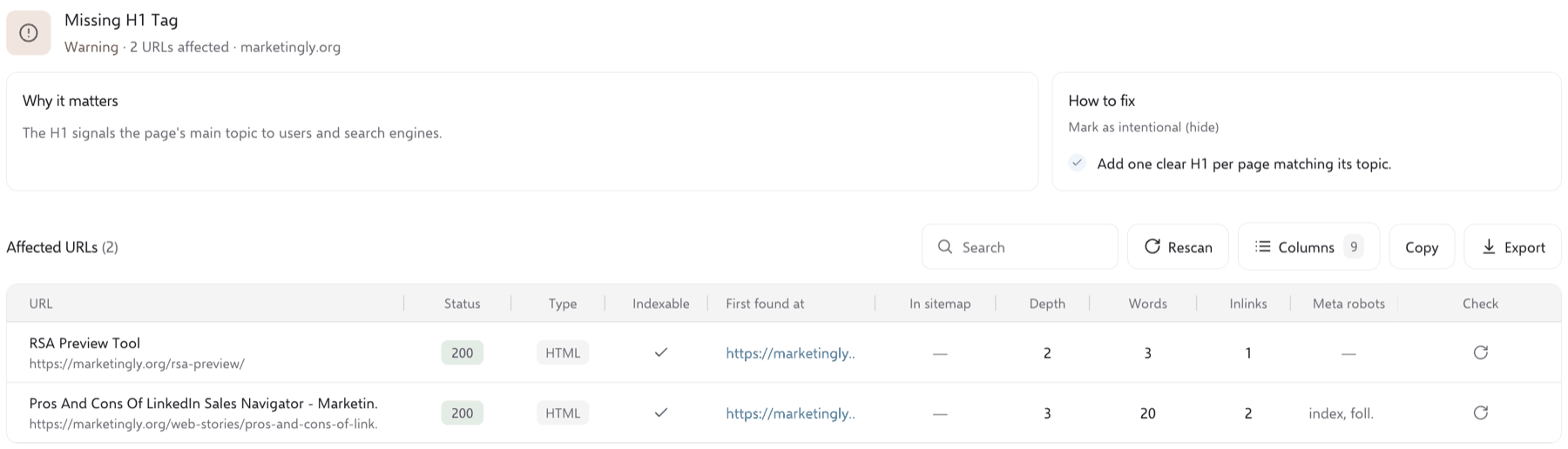
5. Can you re-check a fix without crawling the whole site again?
After you fix a problem, you want to confirm it is gone. A full re-crawl of a large site takes a long time. Checking just the fixed page saves hours and gives you something concrete to show the client.
6. Where does the data live?
Cloud tools keep your clients’ crawl data on the vendor’s servers. Desktop tools keep it on your computer. Either can be fine, but read your client contracts and decide which one you are comfortable with.
7. Does the client need an account?
Some tools share a link to a hosted report. Others give you a file to send. A file is simple to forward and needs no login. A link can stay up to date, but it asks the client to open another site. Pick the one your clients will actually use.
How SEOSage handles it
SEOSage is our own product, so read this section with that in mind. It is desktop SEO audit software that crawls a website on your computer and turns the crawl into a report.
- Your brand, set once. You add your company name, colour and logo in settings. After that, every PowerPoint, PDF and Excel report carries your brand instead of ours.
- Templates. There are nine built-in report templates, plus a Custom / White-label option that uses your own colour and logo.
- Formats. You can export a PowerPoint deck, print a PDF, or copy the report as Markdown or CSV.
- No client login. Your client does not need SEOSage. You send them the file.
- No page limit. There is no cap on pages and no limit on the number of websites. Very large sites take longer and use more memory on your computer.
- Re-check a fix. After you fix a page, SEOSage re-checks just that page and tells you whether the problem is fixed, still there, or needs a new crawl.
The steps are short. Crawl the website, choose Export as PowerPoint (or PDF), pick a template or your own brand, and send it. Each client’s site is its own project, so their audits stay separate.
Pricing is one plan: $19 a month, or $149 a year. There is a 14-day free trial. You enter a card to start, nothing is charged for the first 14 days, and you can ask for a refund within 14 days of your first payment. SEOSage runs on Mac (M-series and Intel) and on Windows, and one licence works on up to two computers.
When SEOSage is not the right fit
- You want clients to log in to a live online dashboard. SEOSage produces files, not client logins.
- You need it on more than two computers. We offer a custom plan for teams, but you need to ask.
- You would rather not enter a card to start a trial.
- You are bothered by installer warnings. SEOSage is not code-signed yet, so Mac and Windows show a warning the first time you open it. The download page walks through the steps, which take about a minute.
Common questions
What is a white label SEO audit tool?
It is software that audits a website and produces reports under your brand, with your logo and colours instead of the vendor’s. The client sees your company, not the tool.
Does my client need to install anything?
That depends on the tool. With SEOSage the client needs nothing, because you send a PowerPoint, PDF or spreadsheet.
Which report formats should I look for?
At least PDF and PowerPoint, with CSV or a spreadsheet for the person fixing the issues. Check that your branding appears on each one.
Can I try SEOSage before I pay?
Yes. The 14-day free trial includes every feature. You can see the plan and start a trial, or run our free SEO check on one page first to see what an audit looks like.
Where to start
Pick two sites you audit often, run the same crawl in each tool you are considering, and send yourself the report as if you were the client. The tool you can send without editing is the one worth paying for. If you would rather hand the audit to someone else, book a free consultation and we will talk it through.
Keep reading
More guides.
How Do You Get 10k Followers On LinkedIn?
Are you looking to build your following on LinkedIn? Do you want to get your first 10k followers on LinkedIn? If so, then you…
Read article
Leads Generation for Tax Advisors
Are you a tax advisor looking for strategies to generate more leads for your business? If so, then you've come to the right place.…
Read article
B2B Reputation Management: Importance, Channels, and Tips
When it comes to managing a company's reputation, it's important to consider both online and offline channels. In the B2B world, where business relationships…
Read article