Google Business Profile optimization means filling in your profile completely and accurately, choosing the right categories, adding real photos, collecting and replying to reviews, and keeping everything up to date, so Google shows your business to people nearby who search for what you offer. Below is a checklist built on Google’s own help pages, including the mistakes that break Google’s rules.
Want help showing up in local search? See our restaurant SEO and real estate SEO services.
In short
- Google ranks local results by relevance, distance and prominence, and you cannot pay for a better ranking.
- Verify your profile, then complete every field: name, category, address, hours, description, attributes, products or services.
- Use your real business name only. Adding keywords or taglines to the name breaks Google’s guidelines.
- Add real photos (JPG or PNG, 720 x 720 recommended) and reply to reviews.
What a Google Business Profile is, and who can have one #
A Google Business Profile is the free listing that shows your business on Google Search and Google Maps: name, address or service area, hours, phone number, website, photos and reviews. It is often the first thing a local customer sees, before your website.
Google’s guidelines say you can create one if your business has a physical location that customers can visit, or travels to customers where they are. A rented mailing address where the business does not actually operate is not eligible, and a co-working space only qualifies with clear signage, staff present and customer service during your hours.
How Google ranks local results #
Google’s help page Tips to improve your local ranking on Google names three factors:
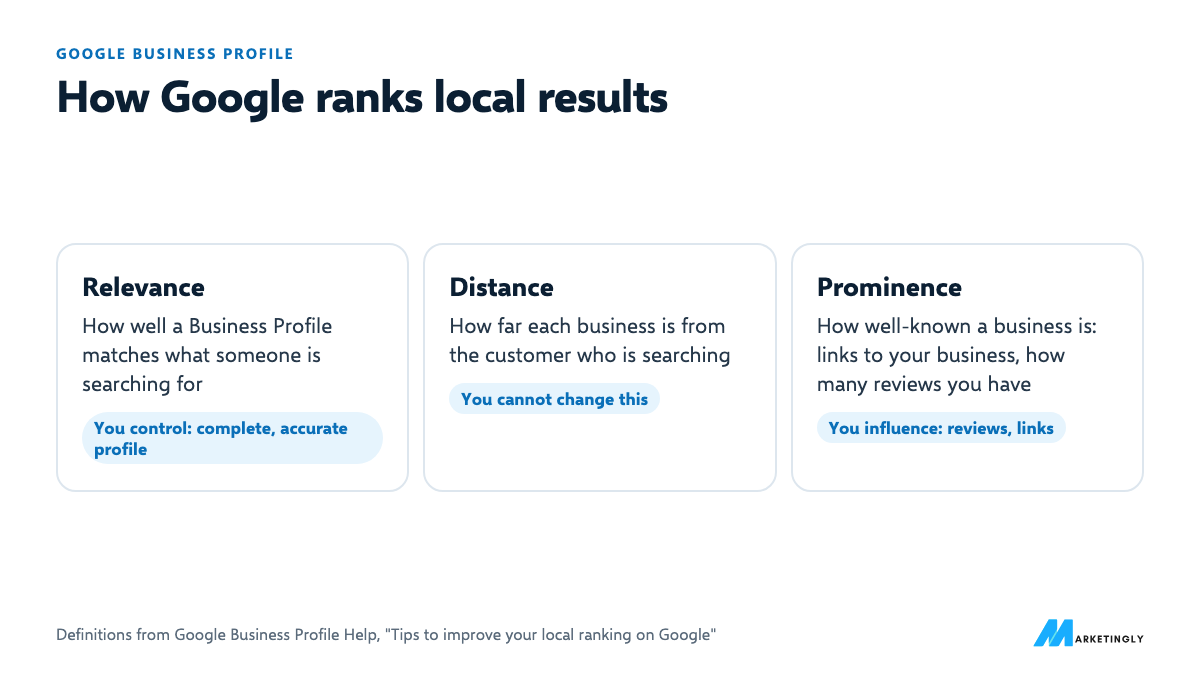
- Relevance: “how well a Business Profile matches what someone is searching for”.
- Distance: “how far each business is from the customer who’s searching”.
- Prominence: “how well-known a business is”.
You cannot change distance. Relevance comes mostly from a complete, accurate profile. For prominence, Google says it looks at things like how many websites link to your business and how many reviews you have, and that more reviews and positive ratings can help. Google also says there is no way to request or pay for a better local ranking.
How to create and verify your profile #
- Sign in to the Google Account you want to manage the business with, and go to business.google.com.
- Search for your business. If it already exists, claim it; if not, add it.
- Enter your business name, category, location or service area, phone number and website.
- Choose a verification method from the ones Google offers you.
Google lists phone or text, email, live video call and postcard as verification methods. The options depend on your business type, public information, region and hours, and Google decides which ones you get. If video verification is offered, Google recommends it; live video calls happen during your business hours, at the business, showing the location and that you run it. Google says verification reviews can take up to 5 business days, most postcard codes arrive within 14 days, and codes expire after 30 days (Verify your business on Google, checked 9 November 2026).
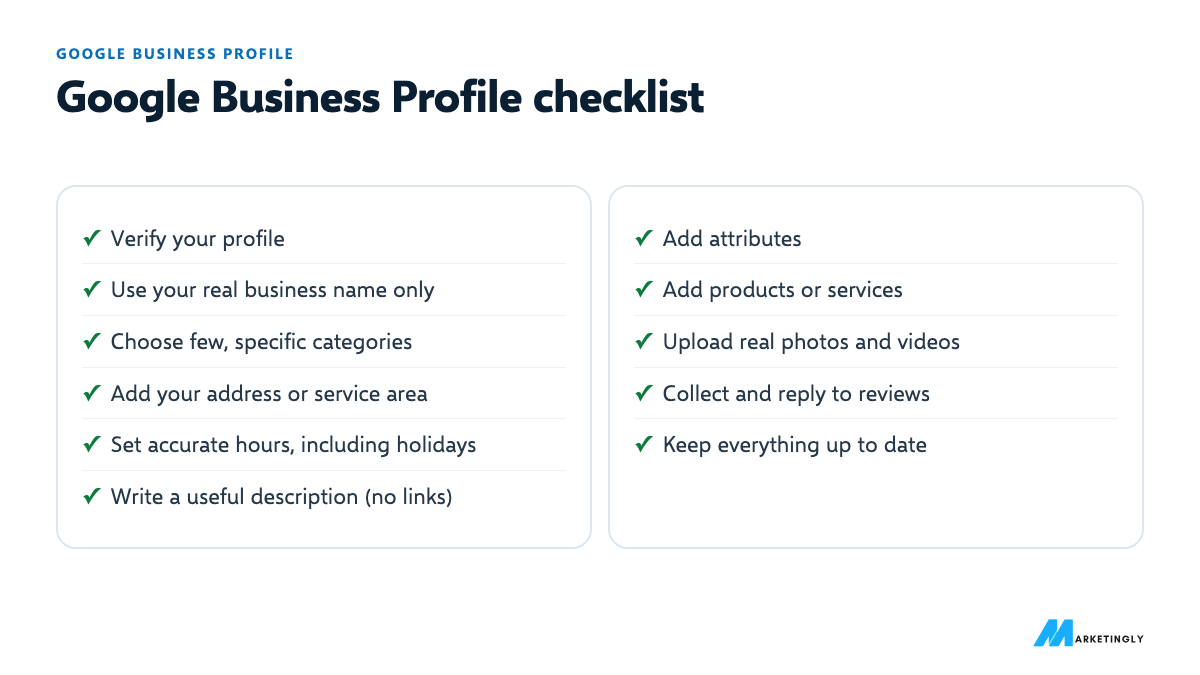
Google Business Profile optimization checklist #
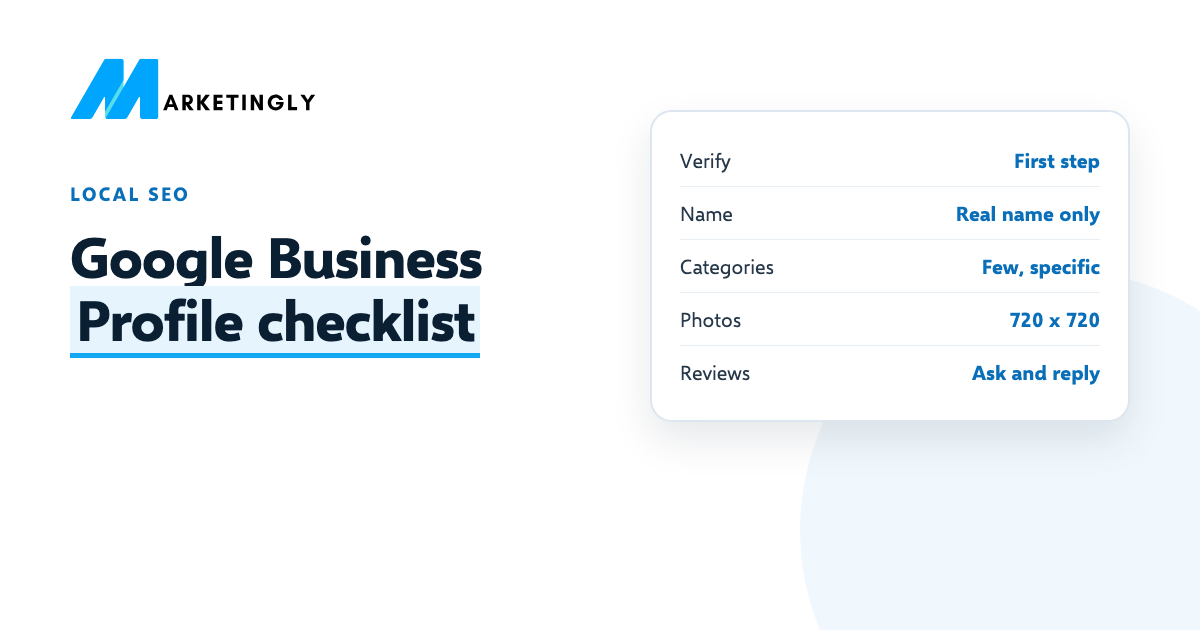
- Verify your profile. Google says verification tells it you are authorised to represent the business, so it is more likely to show in results. Photos and videos only appear after you verify.
- Use your real business name. Your name should match the name on your storefront, signs and website. Google does not allow extra information in the name, such as taglines, store codes or opening hours. “Smith Dental” is fine; “Smith Dental, Best Dentist in Leeds” is not.
- Choose few, specific categories. Google asks you to use as few categories as possible, as specific as possible, describing your core business. Pick the main category carefully: “Italian restaurant” says more than “Restaurant”.
- Add your full address or service area. If customers visit you, add your full address. If you visit them, set the areas you serve.
- Set accurate hours, including special hours. Add your regular customer-facing hours and update them for holidays. Wrong hours lose customers who arrive to a locked door.
- Write a useful description. Google wants useful information about your services and products. No links, and do not focus on promotions or prices. Say what you do, for whom and what makes you different, in plain words.
- Add attributes. Details such as parking, Wi-Fi, accessibility or outdoor seating. Google lists attributes among the details that complete your profile.
- Add products or services. List what you sell or offer, with short descriptions. Retail stores can show in-store products.
- Upload real photos and videos. JPG or PNG, between 10 KB and 5 MB, recommended 720 x 720 pixels (minimum 250 x 250), in focus, well lit and without heavy filters. Show the outside (so people recognise it), the inside, your team and your work.
- Collect and reply to reviews. Ask every customer with your review link and reply to reviews. Google treats replies as a sign you value feedback. Our guide on how to get more Google reviews covers Google’s rules and templates.
- Keep it up to date. Google says businesses with complete and accurate information are more likely to show in local results. Check the profile monthly and after any change.
Sources, checked 9 November 2026: local ranking tips, guidelines for representing your business and photos and videos.
How to choose your categories #
Google asks for as few categories as possible, as specific as possible. Pick the main category that best describes what most customers come to you for, then add others only for real, separate services:
| Business | Too broad | More specific |
|---|---|---|
| Restaurant serving pizza | Restaurant | Pizza restaurant |
| Accountant focused on tax | Consultant | Tax preparation service |
| Estate agency selling homes | Real estate | Real estate agency |
| Agency building websites | Marketing | Website designer |
Category names come from Google’s list, so type a few options and pick the closest match. Look at the categories your best-ranking competitors use for ideas, but only choose ones that are true for you.
An example business description #
Google wants useful information about your products and services, with no links and no focus on promotions or prices. A simple structure: what you do, for whom, where, and what makes you different.
[Business] is a [type of business] in [area] helping [type of customer] with [main services]. We [what makes you different, such as same-week appointments or a specialism]. Our team has [real detail, such as years in business or qualifications]. Visit us at [location] or call to book.
Write it for a customer reading on a phone. Use the words customers use, which you can find in your Performance report’s search terms, without repeating keywords.
Which photos to add #
- The outside, from the street, so people recognise it when they arrive.
- The inside, showing what a visit is like.
- Your team, with permission, so customers know who they will meet.
- Your products or work: dishes, finished jobs, properties sold, the office where clients meet you.
- Your logo and a cover photo that represent the business well.
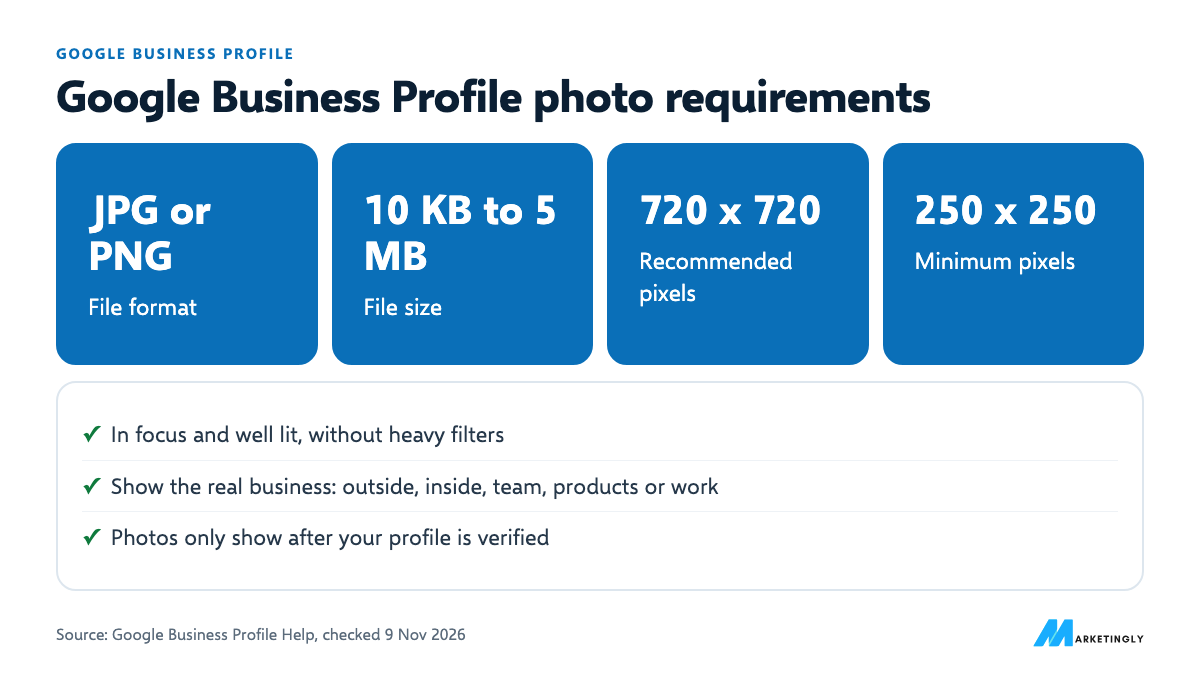
Use real, recent photos in good light. Google asks for photos that are in focus, well lit and without heavy filters or alterations.
Service-area businesses #
If you travel to customers and do not serve them at your address, for example a plumber, cleaner or mobile hairdresser, Google says you should hide your business address and set the areas you serve instead. If you serve customers both at your premises and at theirs, your premises must be staffed and able to receive customers during the hours you list.
Multiple locations #
Each real location gets its own profile, with its own address, phone number and hours. Google’s guidelines say not to create more than one profile for the same location, in one account or several. Some businesses can also have separate profiles for departments or individual practitioners, such as doctors in a clinic, each with its own name and category.
Tips by type of business #
- Restaurants and cafes: keep hours exact, especially on holidays; add photos of real dishes and the dining room; reply to reviews about specific dishes or staff. See our guide to local SEO for restaurants.
- Real estate agencies: one profile per office; photos of the team and the office; ask buyers and sellers for reviews after completion.
- Accountants and tax advisors: list each service separately (tax returns, bookkeeping, payroll); update hours around tax deadlines if they change; ask clients for reviews after filing.
- Trades and home services: set up as a service-area business; add photos of finished jobs; ask for reviews by text when the job is done.
Phone number and website rules #
- Use a number that reaches that location, and that the business controls directly.
- Prefer a local number to a central call-centre helpline where possible, as Google suggests.
- Link to the right page: for multiple locations, link each profile to that location’s page on your website, not just the homepage.
Mistakes that break Google’s guidelines #
- Keywords in the business name. Google does not permit unnecessary information in the name.
- Links, prices or promotions in the description. Google says no links of any type, and not to focus on promotions or prices.
- Too many categories. Google asks for as few as possible.
- Stock photos or heavily edited images. Photos should show the real business.
- Paying for reviews or asking only happy customers. Both are against Google’s review rules.
Your website matters too #
Google counts how many websites link to your business towards prominence, and a good website is what other sites link to. A clear website page for each main service and location, with the same name, address and phone number as your profile, helps Google connect the two. For restaurants, see our guide to local SEO for restaurants.
Keep your details the same everywhere #
Use the same business name, address and phone number on your profile, your website, your social media pages and any directories you are listed in. When you move or change your number, update all of them, starting with your Google profile and your website. Mismatched details confuse customers who find an old number or address, and make it harder to tell which listing is current.
Measure your profile’s performance #
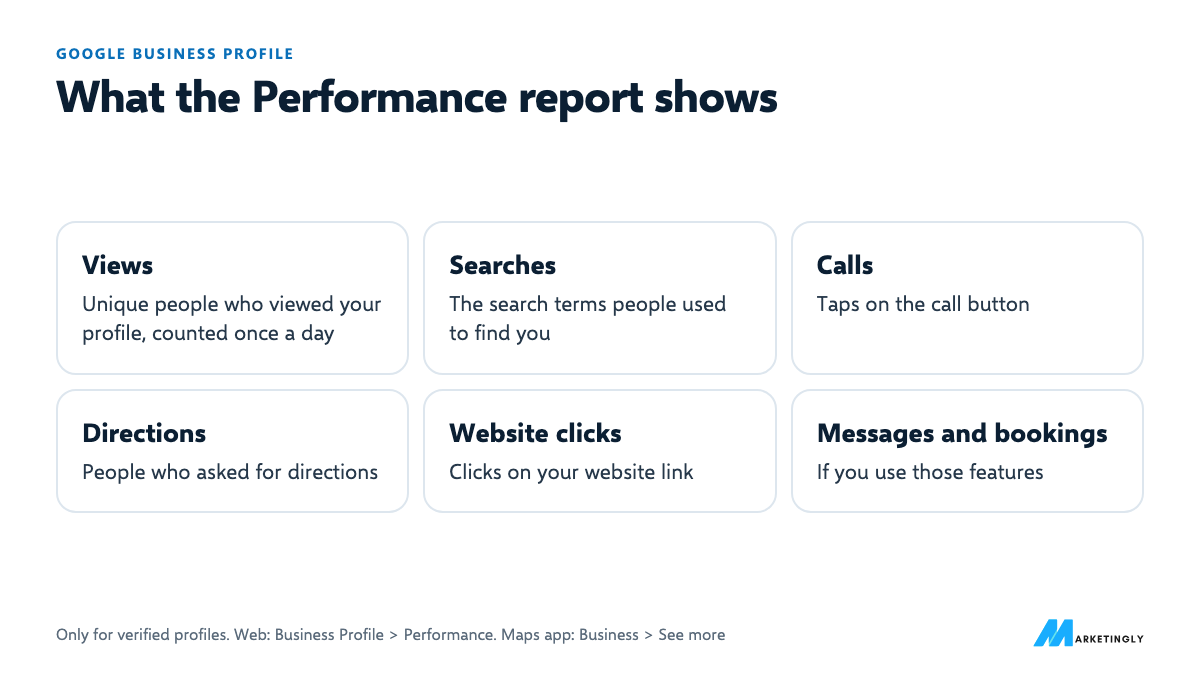
Google’s Performance report shows how people find and contact you. Depending on your business, it includes:
| Metric | What it counts |
|---|---|
| Views | Unique people who viewed your profile; each person counts once a day |
| Searches | The search terms people used to find your business |
| Calls | Taps on the call button (you need a phone number on the profile) |
| Directions | How many people asked for directions |
| Website clicks | Clicks on your website link |
| Messages and bookings | Conversations started and bookings completed, if you use those features |
On a computer, open your Business Profile and go to Performance. In the Google Maps app, tap Business, then See more next to Performance. Google says performance data is only available for verified profiles (Understand your Business Profile performance).
Check the search terms monthly: they show the words real customers use, which belong in your description, your services list and your website pages.
A 30-minute setup plan #
| Minutes | Task |
|---|---|
| 0 to 5 | Check the name matches your storefront and website exactly. Remove anything extra. |
| 5 to 10 | Review the main category and remove categories that do not describe core services. |
| 10 to 15 | Confirm address or service area, phone number, website link and regular and holiday hours. |
| 15 to 20 | Rewrite the description: what you do, for whom, where, what makes you different. No links or prices. |
| 20 to 25 | Add attributes and your products or services. |
| 25 to 30 | Upload five real photos, copy your review link, and reply to any unanswered reviews. |
Then add the monthly checklist above to your calendar, so the profile stays accurate.
Monthly maintenance checklist #
- Hours are correct, including upcoming holidays.
- Phone, website and address still work and match your website.
- New reviews have replies.
- At least a few new, real photos added since last month.
- Products or services reflect what you sell now.
- Performance report checked: calls, directions, website clicks and search terms.
- No edits from others that you did not make. Anyone can suggest changes to a profile, so look for anything unexpected.
Questions about Google Business Profile #
Can I pay Google for a better local ranking? #
No. Google says there is no way to request or pay for a better local ranking. Ads appear separately and are labelled as ads.
How do I rank higher on Google Maps? #
Google says local results depend on relevance, distance and prominence. Complete and verify your profile, choose accurate categories, keep hours and details current, add real photos, and collect and reply to reviews.
Can I add keywords to my business name? #
No. Google’s guidelines say the name should be your real-world business name, without unnecessary information such as marketing taglines.
What size should Google Business Profile photos be? #
Google recommends 720 x 720 pixels, with a minimum of 250 x 250, as JPG or PNG files between 10 KB and 5 MB.
Why are my photos not showing? #
How long does Google Business Profile verification take? #
Google says verification reviews can take up to 5 business days after you complete the steps. If you verify by postcard, most codes arrive within 14 days and expire after 30.
Can I have a Google Business Profile without a shop or office? #
Yes, if you travel to customers. Set it up as a service-area business, hide your address and list the areas you serve. A business that only operates online, with no in-person contact, does not fit Google’s eligibility rules.
Why can’t I see my profile’s performance data? #
Google only shows performance data for verified profiles, and you need to be signed in to the Google Account that manages the profile.
Can I have two Google Business Profiles for one location? #
No. Google’s guidelines say not to create more than one profile for each location. The exception is separate departments or individual practitioners, such as doctors in one clinic, which can have their own profiles with their own names and categories.
Google says photos and videos only show after your Business Profile is verified.