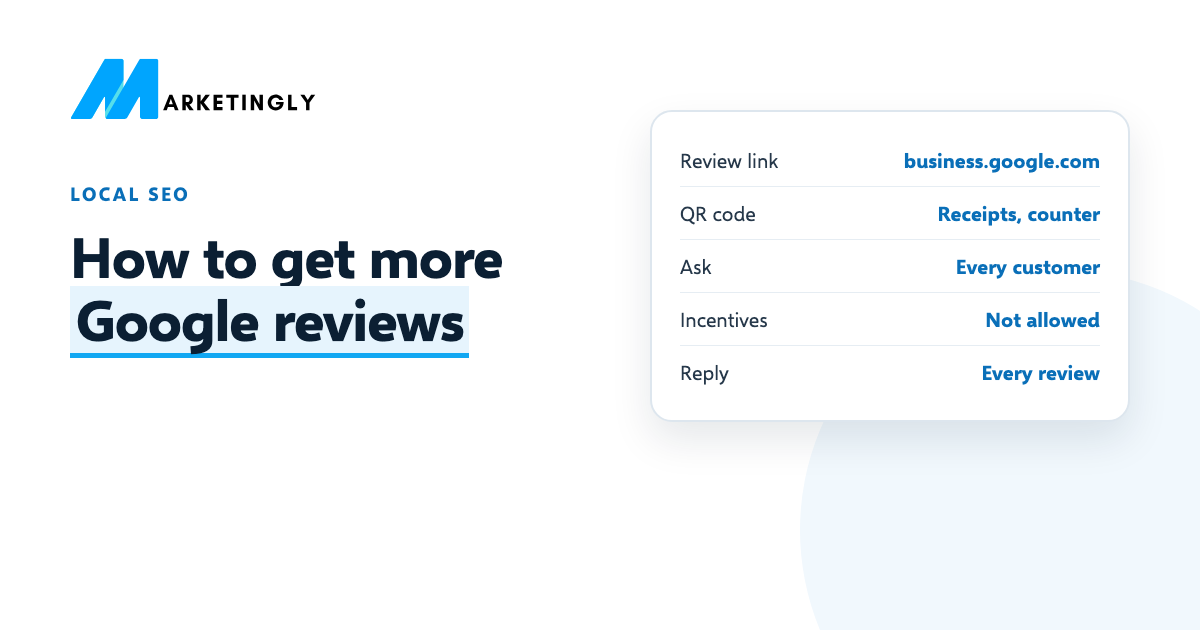
To get more Google reviews, ask every customer, at the moment they are happiest, with a direct link or QR code that opens your review form, and make it take less than a minute. Google lets you create that link in your Business Profile. Below are Google’s own rules, the steps to get your link, the best moments to ask, and copy-ready messages for asking and replying.
Run a restaurant, agency or local service? Our restaurant SEO and real estate SEO services include review strategy.
In short
- Get your review link or QR code from your Business Profile (business.google.com, Read reviews, Get more reviews).
- Ask every customer, not only the happy ones. Google does not allow you to selectively ask for positive reviews.
- Never offer a discount, gift or anything else for a review. Google says incentives are strictly prohibited.
- Reply to reviews, especially the ones where you can answer a question or fix a problem.
Why Google reviews matter #
Reviews do two jobs. They help people decide, and they help Google decide which businesses to show. Google’s page on improving your local ranking says local results depend partly on prominence, which is based on things like how many reviews you have, and that “more reviews and positive ratings can help your business’s local ranking”.
Google’s own tips page also notes that honest, balanced reviews help customers decide, and that a mix of positive and negative feedback often feels more trustworthy. A profile of only five-star reviews can look less believable than a 4.7 with real comments and real replies.
Google’s review rules: what you can and cannot do #
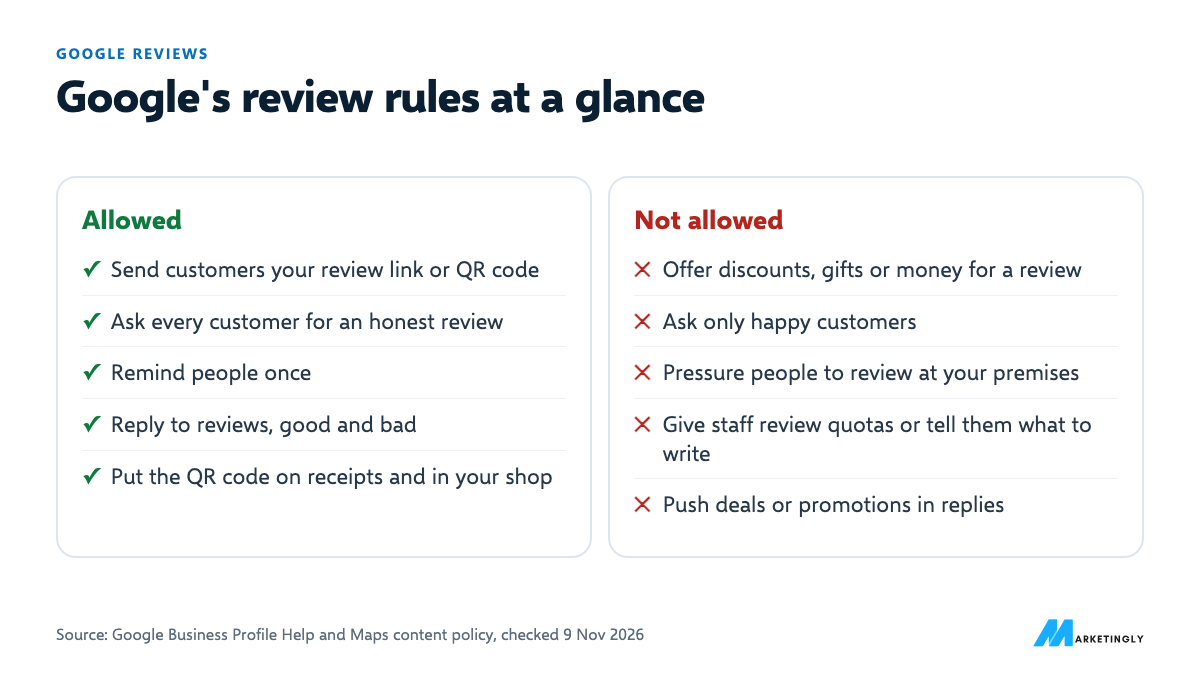
| Allowed | Not allowed |
|---|---|
| Send customers a link or QR code to your review form | Offer money, discounts, free products or services for a review |
| Ask every customer for an honest review | Ask only happy customers, or discourage negative reviews |
| Remind people once | Pressure people to review while they are still at your premises |
| Reply to reviews, good and bad | Give staff a quota of reviews or tell them what reviews should say |
| Put the QR code on receipts and in your shop | Use your reply to push deals or promotions |
Sources, checked 9 November 2026: Google’s Tips to get more reviews and prohibited and restricted content pages. Reviews that break these rules can be removed, and the rules apply to the business owner as well as customers.
How to get your Google review link and QR code #
- On a computer, go to your Business Profile at business.google.com.
- Select Read reviews, then Get more reviews.
- To copy the link, select Copy. To download the QR code, right-click it and choose Save image as.
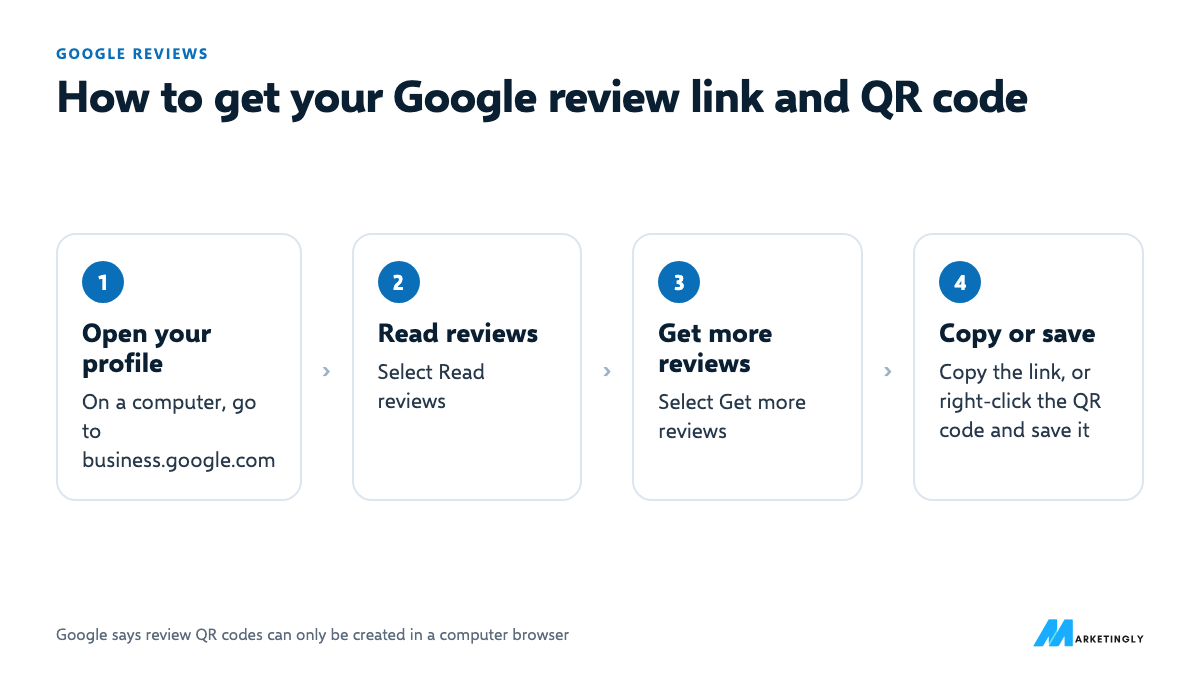
Google says review QR codes can only be created in a computer browser, not on a phone (Create a Google link or QR code to request reviews). Customers need to be signed in to a Google Account to leave a review.
8 ways to get more Google reviews #
- Ask at the happiest moment. Right after a good meal, a finished job or a solved problem, not three weeks later.
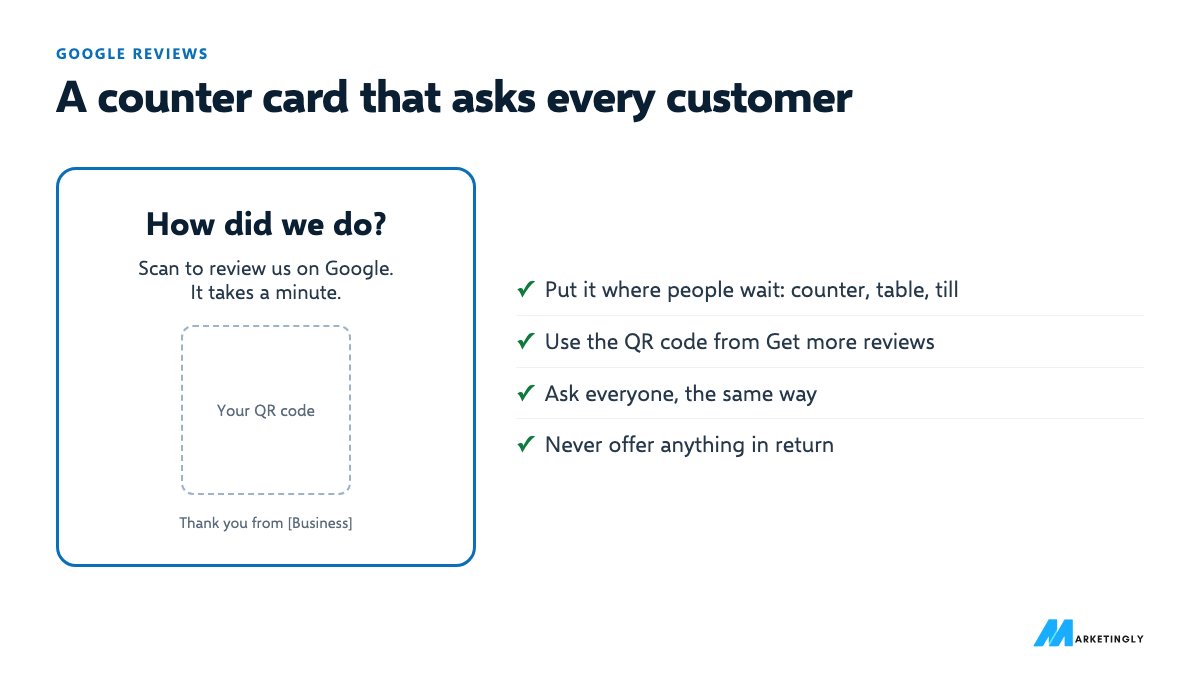
- Print the QR code where people wait. On the counter, the table, the receipt or the invoice. Google suggests receipts and in-store signs.
- Add the link to your thank-you email and to the end of chat or support conversations, as Google suggests.
- Send a short text or WhatsApp message with the link the same day.
- Ask everyone the same way. A routine (every invoice, every visit) is fair, follows Google’s rules and means nobody gets forgotten.
- Make it one tap. Link straight to the review form, not to your website or your Maps listing.
- Remind once, then stop. One follow-up a week later is polite. More is pressure.
- Reply to the reviews you get. In Google’s words, it shows customers that their feedback matters.
When to ask, by type of business #
| Business | Best moment to ask | Best way |
|---|---|---|
| Restaurant or cafe | When the bill arrives, or the evening after a booking | QR code on the bill or table card, follow-up email for bookings |
| Real estate agent | After the keys are handed over, or a sale or let is agreed | Personal message or email with the link |
| Accountant or tax advisor | After filing is done or a problem is solved | Email with the link, line in the invoice email |
| Agency or B2B service | After a project milestone or a good monthly report | Personal email from the account lead |
| Trades and home services | When the job is finished and checked | Text message with the link, QR code on the invoice |
| Shop | At the till | QR code by the till and on the receipt |
Review request templates #
Copy, replace the [brackets] with your details and your review link, and use them as they are or in your own words.
Text message, right after the visit or job #
Hi [Name], thanks for choosing [Business] today. If you have a minute, we would love an honest review on Google: [review link]. It helps other people find us.
Thank-you email #
Subject: Thanks from [Business]
Hi [Name],
Thank you for [what they bought or the work you did]. If you have two minutes, could you leave an honest review on Google? [review link]
It helps other [type of customer] find us, and we read every one.
[Your name]
WhatsApp, after a chat or delivery #
Thanks again, [Name]! If you are happy to share how it went, here is our Google review link: [review link]
In person, at the end of a visit #
“Thanks for coming in today. If you get a moment, we would really value an honest Google review. The QR code is on the card / on your receipt.”
Follow-up, a week later (once only) #
Hi [Name], just a quick reminder in case you missed it: here is the link to review [Business] on Google: [review link]. No worries if not, thanks again!
Scripts for different businesses #
Restaurant (table card or bill) #
Enjoyed your meal? Tell us on Google. Scan the code, it takes a minute. Thank you from the [Restaurant] team.
Real estate agent (after completion) #
Hi [Name], congratulations again on your new home! If you were happy with how we handled the sale, an honest Google review would mean a lot to our team: [review link]
Accountant or tax advisor (after filing) #
Hi [Name], your return is filed and confirmed. If you have a moment, we would be grateful for an honest review of working with us: [review link]. Thank you for trusting us with it.
Agency or B2B service (after a milestone) #
Hi [Name], thanks for a great [project or quarter]. If you are happy with the work, a short Google review would help other businesses find us: [review link]. Honest feedback is welcome, good or bad.
Trades (after the job) #
Hi [Name], thanks for having us out today. If you are happy with the [job], could you leave a quick Google review? [review link]
Ready-to-use print and email copy #
- Counter or table card: “How did we do? Scan to review us on Google. It takes a minute.”
- Receipt or invoice line: “Thank you! Tell us how we did: [short review link]”
- Email signature: “Happy with our work? Review us on Google: [review link]”
- Website footer or contact page: “Customer of ours? We would love your honest review on Google.”
Make asking for reviews part of your routine #
- Pick one moment in your process when every customer is asked, such as the invoice, the bill or the handover.
- Add the link where it will always be seen: your invoice template, booking confirmation, email signature and receipt.
- Brief the team to mention reviews to every customer the same way. No targets per person: Google’s policy does not allow staff quotas.
- Put one person in charge of replies, and check new reviews at least once a week.
- Review the numbers monthly: new reviews, average rating, and how many you have replied to.
Asking past customers for reviews #
If you have years of happy customers but few reviews, you can ask them too, once and personally:
- Start with recent customers, from the last few months, while the experience is fresh.
- Send a personal note, not a mass blast: their name, what you did for them, the link.
- Ask everyone on the list, not only the ones you think were happiest. Google does not allow selectively asking for positive reviews.
- Spread it out over a few weeks, and send one reminder at most.
Hi [Name], it has been a while since we [worked on your project / helped with your move]. We are asking our past customers for honest feedback on Google, and would really value yours: [review link]. Thank you either way.
How to reply to Google reviews #
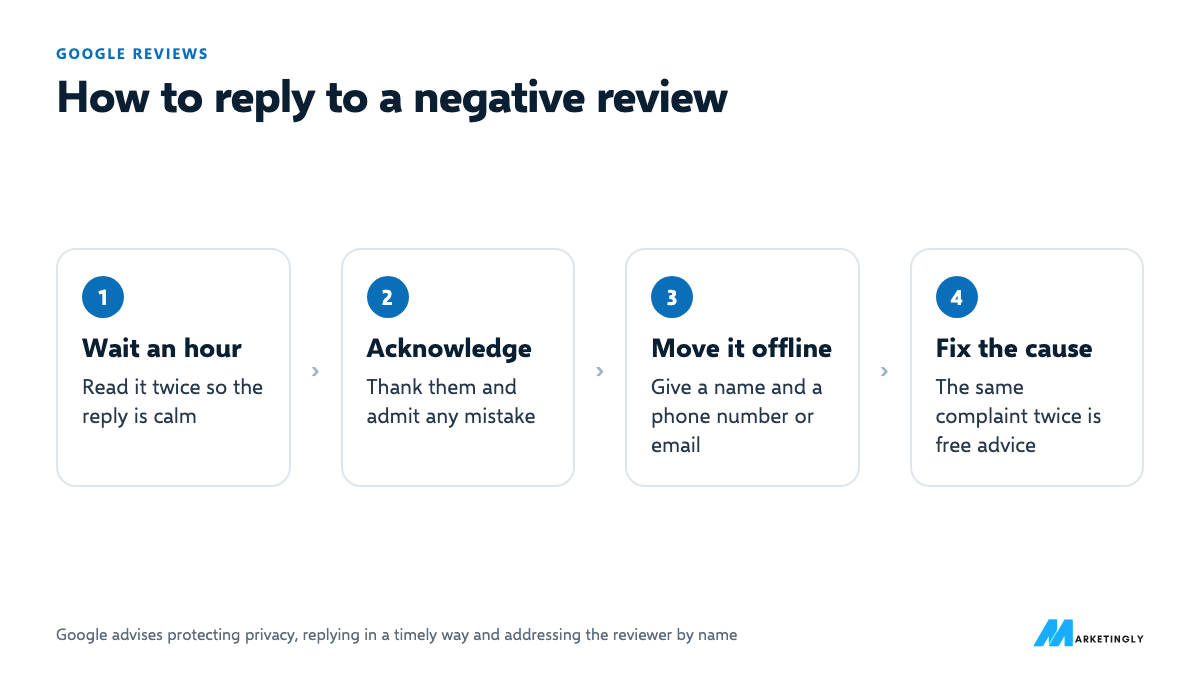
Google recommends replying to reviews, focusing on the ones where you can share a helpful update or answer a question, keeping it conversational rather than promotional, and avoiding deals or promotions in replies. For negative reviews it advises protecting privacy, acknowledging any mistakes, replying in a timely way and addressing the reviewer by name.
Positive review #
Thank you, [Name]! We are glad [the specific thing they mentioned] went well. See you next time.
Mixed review #
Thanks for the honest feedback, [Name]. Glad you liked [good part]. You are right about [problem]; we have [what you changed]. We hope to get it all right next time.
Negative review #
Hi [Name], we are sorry about [the problem]. That is not the experience we want for anyone. We would like to put it right: please contact [name or role] at [phone or email].
More reply templates #
Five stars with no text #
Thank you for the five stars, [Name]! We are glad you had a good experience. See you again soon.
A review that asks a question #
Thanks, [Name]! To answer your question: [clear answer]. Glad you enjoyed [the thing they mentioned].
A review about a staff member #
Thank you, [Name]! We have passed your kind words on to [first name], who was delighted to hear it.
A review you think is unfair #
Hi [Name], we are sorry you feel this way. We have no record of [the situation described], and we would like to understand what happened. Please contact [name] at [phone or email] so we can look into it.
A review meant for another business #
Hi [Name], thank you for the review. We think this may be about a different business, as we do not [offer that service or have that location]. If we have got that wrong, please contact us at [phone or email].
Keep replies short, specific and in your own voice. If a review breaks Google’s policies, report it as well as replying.
How to handle negative reviews #
- Read it twice and wait an hour before replying, so the reply is calm.
- Reply in public, briefly: thank them, acknowledge the problem, say what you have done or will do.
- Move the details offline: give a name and a phone number or email.
- Protect privacy: never share the customer’s details or the specifics of their account in a reply. Google advises this too.
- Fix the cause if the complaint is fair. The same complaint in several reviews is free advice.
Never offer a refund or gift in exchange for changing or removing a review. Google treats that as an incentive, which is prohibited.
How to report fake or abusive reviews #
- Go to your Business Profile and select Read reviews.
- Next to the review, select Report.
- Choose the reason and select Send report.
Google only removes reviews that break its content policies, and asks you not to report a review just because you disagree with it. Evaluation typically takes several days, and you can follow the status in the Reviews Management Tool. If a report is turned down, you can make a one-time appeal covering up to 10 reviews. If someone demands money or favours to remove negative reviews, Google has a separate way to report extortion (Report inappropriate reviews on your Business Profile, checked 9 November 2026).
What not to do #
- Do not buy reviews or swap them with other businesses. They break Google’s rules and can be removed.
- Do not filter customers first (“happy? leave a review; unhappy? email us”). That is selectively asking for positive reviews.
- Do not ask staff, family or friends to review the business. Google’s policy covers conflicts of interest, including employment.
- Do not argue in replies. Other customers read them. Acknowledge, offer to fix it, move the conversation offline.
Track your progress #
| Measure | Why it matters |
|---|---|
| New reviews each month | A steady flow shows customers, and Google, that the business is active |
| Average rating | What people see first in search and on Maps |
| Share of reviews replied to | Shows customers their feedback matters |
| Common words in reviews | What customers love, and what keeps going wrong |
A 30-day plan to get more reviews #
| When | What to do |
|---|---|
| Day 1 | Get your review link and QR code. Reply to every existing review you have not answered yet. |
| Days 2 to 7 | Add the link to invoices, receipts, booking confirmations and email signatures. Print the QR code for your counter, tables or van. |
| Week 2 | Choose the moment every customer is asked, brief the team, and start asking. |
| Week 3 | Send a personal request to recent past customers, spread over the week. |
| Week 4 | Count new reviews, check your average rating and replies, and fix whatever customers mention more than once. |
After the first month, keep the routine going and check the numbers monthly. A steady flow of recent reviews tells people the business is active today, which a burst followed by months of silence does not.
Questions about Google reviews #
Can I offer a discount for a Google review? #
No. Google says offering incentives such as free or discounted goods or services in exchange for reviews is strictly prohibited, and the same applies to changing or removing reviews.
How do I get a link to my Google reviews? #
In your Business Profile on a computer, select Read reviews, then Get more reviews, then Copy. The same screen has the QR code.
Can someone leave a Google review without a Gmail account? #
They need a Google Account and must be signed in. A Google Account can be set up with an email address that is not Gmail.
Should I reply to every review? #
Google recommends replying, and suggests focusing on reviews where you can add something useful rather than sending the same thank-you to everyone. Always reply to negative reviews.
How many Google reviews do I need? #
Google does not give a number. A practical target is to have more recent reviews than the businesses you compete with in your area, and to keep new ones coming every month.
Can I delete a bad Google review? #
No. You can report a review that breaks Google’s policies, and Google removes it if it agrees. For fair negative reviews, the best response is a calm, helpful reply.
Do replies to reviews help my ranking? #
Google lists replying to reviews among its tips for improving local ranking, saying it shows you value customers’ feedback. Replies also help the people reading the reviews decide.
Can I ask my friends or staff to review my business? #
No. Google’s policy covers conflicts of interest, including current or former employment, and reviews should come from genuine customer experiences.
Where should I put my Google review link? #
Google suggests receipts, thank-you emails, the end of chat conversations and printed QR codes in your store. Add it to invoices, booking confirmations and your email signature too.
Reviews are one part of showing up in local search. See our guides to local SEO for restaurants and real estate marketing ideas.