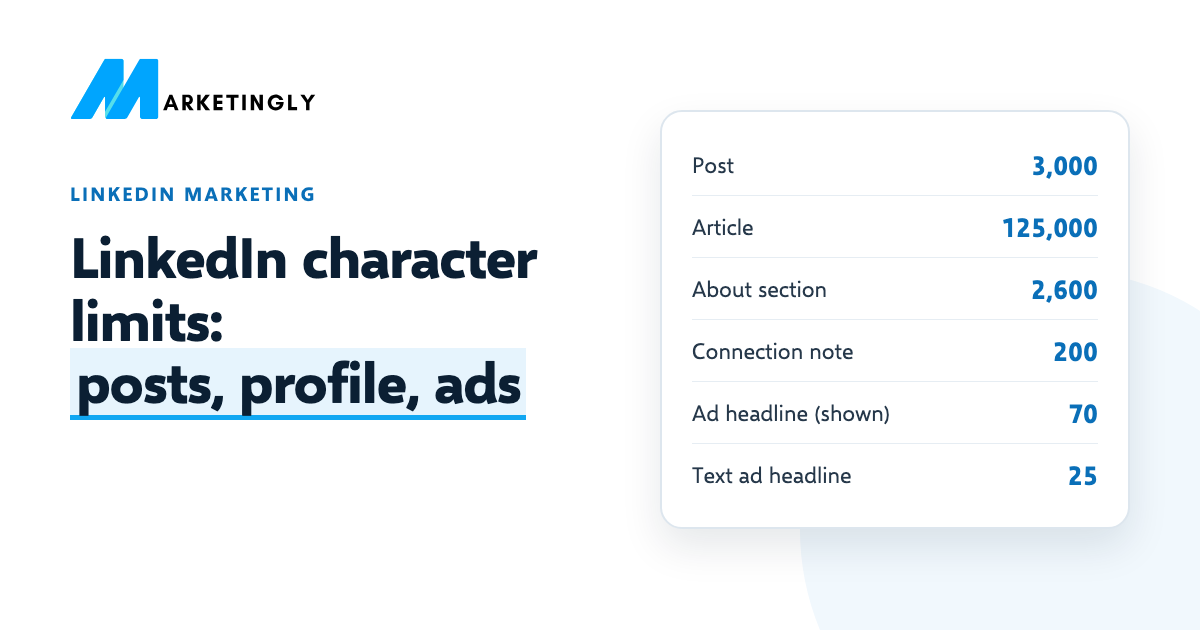
A LinkedIn post can be up to 3,000 characters, an article up to 125,000, your About section up to 2,600 and a connection request note up to 200. Below is every LinkedIn character limit we could find on LinkedIn’s own pages, for your profile, posts and ads, each with a link to the page that says it. We checked them all on 6 November 2026.
Need help with your LinkedIn profile, posts or ads? See our LinkedIn marketing service.
In short
- Post: 3,000 characters. Article: 125,000. About section: 2,600. Connection request note: 200.
- Ads: keep introductory text to 150 characters and headlines to 70 so they are not cut off, even though the maximum is higher.
- LinkedIn’s help pages do not give a number for the profile headline, company page or comments. The edit box on LinkedIn shows the real limit.
- Spaces, punctuation and emojis all count as characters.
LinkedIn character limits for your profile and posts #
| Where | Limit | Source (LinkedIn) |
|---|---|---|
| Post | 3,000 characters | Posts vs articles |
| Article | 125,000 characters | Posts vs articles |
| About section (profile summary) | 2,600 characters | LinkedIn Talent Blog |
| Connection request note | 200 characters | Personalize invitations |
| Connection request notes on a free account | 3 a month (Premium: all requests) | Personalize invitations |
| Article or newsletter SEO title | Cut off in search results over 60 characters | SEO settings for articles |
| Article or newsletter SEO description | LinkedIn suggests 140 to 160 characters | SEO settings for articles |
A post and an article are different things on LinkedIn. A post shows up in your connections’ feeds. An article is a longer piece, written in LinkedIn’s publishing tool, that people can also find on Google. If what you want to say is longer than 3,000 characters, write an article, or cut the post down to its main point.
LinkedIn ad character limits #
For most ad fields LinkedIn gives two numbers: a maximum, and a shorter length that avoids the text being cut off. The second number is the one to write for, because the cut-off part is only seen by people who tap to read more.
| Ad and field | Limit | Source (LinkedIn) |
|---|---|---|
| Single image ad: introductory text | 150 shown in full, 3,000 maximum | Single image ad specs |
| Single image ad: headline | 70 shown in full, 200 maximum | Single image ad specs |
| Single image ad: description | 100 shown in full, 300 maximum | Single image ad specs |
| Video ad: introductory text | 150 shown in full, 3,000 maximum | Video ad specs |
| Video ad: headline | 70 shown in full, 200 maximum | Video ad specs |
| Document ad: introductory text | 150 shown in full, 3,000 maximum | Document ad specs |
| Document ad: headline | 70 shown in full, 200 maximum | Document ad specs |
| Carousel ad: introductory text | 150 shown in full, 255 maximum | Carousel ad specs |
| Carousel ad: card headline | 45 | Carousel ad specs |
| Text ad: headline | 25 | Text ad specs |
| Text ad: description | 75 | Text ad specs |
| Message ad: subject | 60 | Message ad specs |
| Message ad: message text | 1,500 | Message ad specs |
| Message ad: hyperlinked text | 70 | Message ad specs |
| Message ad: call-to-action button | 20 | Message ad specs |
| Message ad: custom footer and terms | 20,000 | Message ad specs |
| Any ad: ad name (only you see it) | 255 | Single image ad specs |
A few more rules from the same pages: a carousel ad has 2 to 10 cards; single image and video ads allow up to 10 emojis in the introductory text; and links longer than 23 characters in introductory text are turned into a short link. If you run message ads, our guide to InMail on LinkedIn explains how sponsored messages differ from InMail.
Limits LinkedIn does not publish #
Some limits people search for most are not on LinkedIn’s help pages. LinkedIn’s page on how to edit your headline explains the steps but gives no number, and we found no LinkedIn help page with limits for company page fields or comments.
- Profile headline. Most guides say 220 characters. LinkedIn does not state it on its help pages.
- Company page tagline and description. Guides usually say 120 and 2,000 characters.
- Comments. Guides disagree, which suggests the limit has changed over time.
The reliable way to check any of these is the box itself: LinkedIn’s edit boxes count your characters as you type and stop you at the limit. Because these numbers can change without notice, write well inside them rather than right up to the edge.
How LinkedIn counts characters #
- Everything counts. Letters, numbers, spaces, punctuation and emojis. LinkedIn’s ad pages say so in as many words.
- Some emojis count as more than one character in many character counters, so a tool may give a slightly different total from LinkedIn’s box. Trust LinkedIn’s box.
A worked example #
Say you are writing the introductory text of a single image ad. LinkedIn allows 3,000 characters but shows about 150 before cutting it off. This opening line is 104 characters, so all of it shows:
Most ad budgets are set before anyone knows the break-even ROAS. Here is the 2-minute check we do first.
Anything you add after it is only read by people who tap “see more”, so put the offer and the reason to click in that first line. The same idea works for normal posts: LinkedIn does not publish how much of a post shows before “see more”, so make the first line carry the point. For more on writing posts, see our 30 LinkedIn post ideas.
Questions about LinkedIn character limits #
What is the character limit for a LinkedIn post? #
3,000 characters, including spaces and punctuation, according to LinkedIn’s help page in November 2026.
What is the LinkedIn headline character limit? #
LinkedIn’s help pages do not state it. Most guides say 220 characters. The headline box on your profile shows the current limit as you type.
How many characters can the LinkedIn About section have? #
2,600 characters, according to LinkedIn’s Talent Blog.
What is the character limit for a LinkedIn connection request note? #
200 characters. On a free account you can add a note to up to 3 requests a month. Our 20 connection request templates all fit with room to spare.
How long can a LinkedIn article be? #
Up to 125,000 characters. If you set an SEO title for it, LinkedIn says titles over 60 characters are cut off in search results.
What is the headline limit for LinkedIn ads? #
For single image, video and document ads, up to 200 characters, but LinkedIn suggests 70 or fewer so it is not cut off. Text ad headlines are limited to 25 characters, and carousel card headlines to 45.
Want more people to see what you write? Read how to get more followers on LinkedIn, or ask our LinkedIn marketing team for help.