A LinkedIn connection request message is the short note you can add when you ask someone to connect. A good one says who you are, how you found the person and why you want to connect, in one or two sentences. Below are 20 templates you can copy, each one counted so it fits LinkedIn’s 200-character limit, plus LinkedIn’s current rules and the mistakes that get requests ignored.
Want help building a network of buyers, not just contacts? Our LinkedIn marketing service works on the profile, the posts and respectful outreach.
In short
- A connection request note can be up to 200 characters.
- On a free account you can add a note to up to 3 requests a month. Premium members can add one to every request.
- Say how you found the person and why you want to connect. Do not sell in the request.
- Every template below is at most 180 characters with its placeholders, so there is room for real names.
LinkedIn connection request rules in 2026 #
These come from LinkedIn’s own help page, Personalize invitations to connect, checked on 6 November 2026. Many guides still say the limit is 300 characters; LinkedIn now says 200.
| Rule | Free account | Premium |
|---|---|---|
| Length of a note | Up to 200 characters | Up to 200 characters |
| Requests you can add a note to | Up to 3 a month | All of them (connection request limits may still apply) |
| Requests from People You May Know on the mobile app | Cannot have a note | Cannot have a note |
| Can the person reply without accepting? | Yes | Yes |
Because free members only get three notes a month, save them for the people who matter most: a likely buyer, a partner or someone you met at an event. For everyone else, a request with no note is fine if your profile already makes it clear who you are.
How to add a note to a connection request #
- Open the profile of the person you want to connect with.
- Select Connect in the introduction section at the top of the profile.
- Select Add a note.
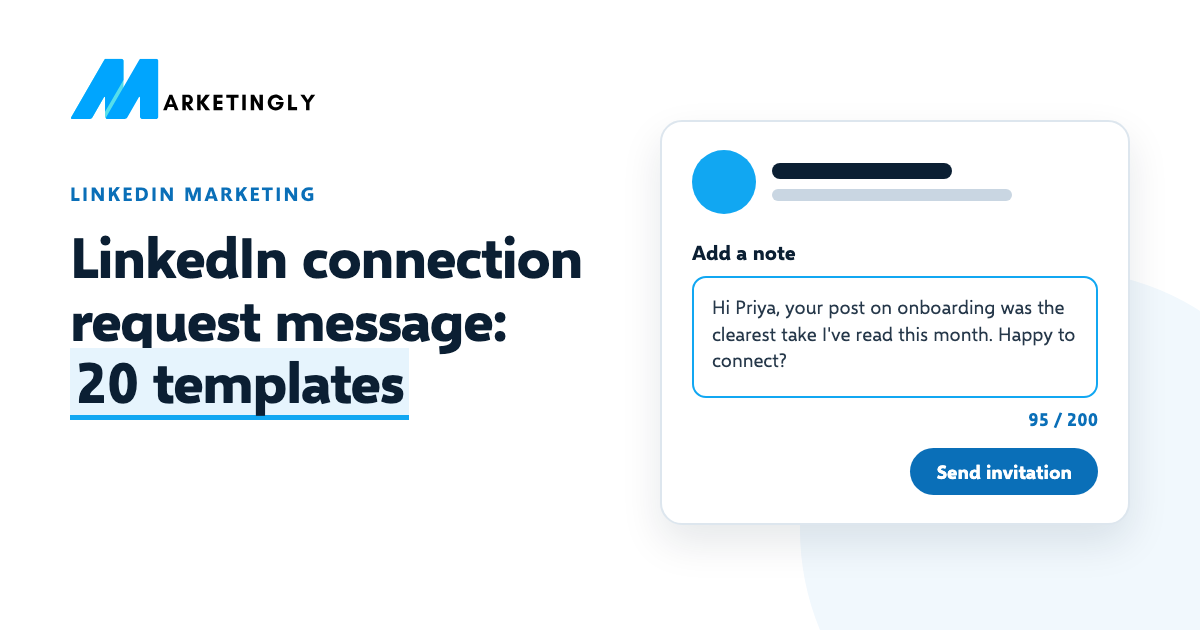
- Write your message (up to 200 characters).
- Select Send invitation.
If you choose “We don’t know each other” when LinkedIn asks how you know the person, you may be asked to add a message before the request is sent.
What makes a good connection request message #
- How you found them. A post, an event, a group, a mutual contact. This is the line that shows you are not sending the same note to 500 people.
- Why now. One short reason: you work on the same problem, you met yesterday, they just changed jobs.
- No pitch. A request that sells reads like spam, and many people ignore it. Sell later, if at all, once there is a conversation.
- Their name, spelled right. Copy it from the profile.
- Short and plain. The note is read on a phone, in a list of other requests. One or two sentences is plenty.
20 LinkedIn connection request message templates #
Replace everything in [square brackets]. The number after each template is its length with the placeholders, counted the way LinkedIn counts: every letter, space and punctuation mark.
Templates for sales and business development #
1. After they posted something useful (174 characters)
Hi [Name], your post on [topic] was the clearest take I’ve read this month, mainly the point on [detail]. I work with [type of company] on the same problem. Happy to connect?
2. Same industry, no pitch (151 characters)
Hi [Name], I see you lead [team] at [Company]. I help [type of company] with [problem] and like to know people doing it well. Would be glad to connect.
3. After they changed roles (151 characters)
Hi [Name], congrats on the move to [Company]. I’ve followed your work on [topic] for a while and would like to stay in touch as you settle in. Connect?
4. After a reply to your comment (153 characters)
Hi [Name], thanks for the reply to my comment on [person]’s post about [topic]. You made a fair point. Would be good to keep the conversation going here.
5. Account you already sell to (152 characters)
Hi [Name], we already work with [colleague] at [Company] on [project]. Thought it would help to be connected too, in case [topic] comes up on your side.
Templates for events and communities #
6. After an event you both went to (144 characters)
Hi [Name], we were both at [event] on [day]. Your question about [topic] in the [session] session was the best one. Would like to stay in touch.
7. Before an event (148 characters)
Hi [Name], I saw you’re going to [event] next week. I’ll be there too and am keen to hear how [Company] handles [topic]. Want to connect beforehand?
8. Same group or community (123 characters)
Hi [Name], we’re both in [group]. Your answer on [topic] last week saved me an hour of searching. Would be glad to connect.
9. Speaker or host (142 characters)
Hi [Name], thanks for your talk at [event]. The [idea] part changed how I think about [topic]. I’d like to follow your work and stay in touch.
Templates for networking and careers #
10. Mutual connection (125 characters)
Hi [Name], [mutual contact] suggested I reach out and said you know more about [topic] than anyone. Would be glad to connect.
11. Former colleague (127 characters)
Hi [Name], it’s been a while since [Company]. I saw you’re now at [new company], great to see. Let’s connect and keep in touch.
12. Same school (123 characters)
Hi [Name], fellow [school] alum here. I saw you work in [field], which is where I’m heading next. Would be glad to connect.
13. Recruiter (157 characters)
Hi [Name], I see you hire for [role type] at [Company]. I’m a [your role] with [years] years in [field] and would like to be on your radar. Happy to connect.
14. Someone you admire in your field (138 characters)
Hi [Name], I’ve learned a lot from your posts on [topic], especially [specific post]. No ask, just would like to follow along and connect.
Templates for founders and agencies #
15. Possible partner (164 characters)
Hi [Name], your company and mine both serve [type of customer], but we do different things: you [what they do], we [what you do]. Worth knowing each other. Connect?
16. Peer founder (151 characters)
Hi [Name], I’m also building a [type of company] and read your post about [topic]. It’s good to know others working through the same problems. Connect?
17. Journalist or writer (155 characters)
Hi [Name], I read your piece on [topic] in [publication]. I work on [related area] and can share data or quotes if you write on it again. Happy to connect.
Templates for reconnecting #
18. Someone you met once (114 characters)
Hi [Name], we met at [place] in [month] and talked about [topic]. I meant to connect then. Better late than never!
19. After a call or meeting (138 characters)
Hi [Name], thanks for the time on today’s call. Connecting here so it’s easy to stay in touch. I’ll send the [item] we discussed by [day].
20. Someone who viewed your profile (134 characters)
Hi [Name], I noticed you work on [topic] at [Company], which is close to what I do. Would be glad to connect and swap notes some time.
Connection request messages to avoid #
- “I’d like to add you to my professional network.” This is what an empty request already says. It tells the person nothing.
- The pitch. “We help companies like yours grow 3x. Can we book 15 minutes?” sent to a stranger. Most people decline or ignore it.
- Fake familiarity. “Loved your recent post!” with no detail. People can tell when you have not read it.
- Templates sent by a tool. LinkedIn’s User Agreement does not allow bots or automated methods to add contacts or send messages, and accounts that use them can be restricted. Our guide to LinkedIn automation tools explains the risk.
What to send after they accept #
Wait until there is a reason to write, and keep the first message as short as the request. A worked example:
Hi Priya, thanks for connecting. You mentioned in your post that onboarding is where most of your trial users drop off. We wrote up what worked for three similar teams. Want me to send it? No call needed.
It refers to something she said, offers something useful and asks for a small yes. If there is no reply, leave it. One follow-up at most, and only if you have something new to add.
Questions about LinkedIn connection requests #
What is the character limit for a LinkedIn connection request message? #
200 characters, according to LinkedIn’s help page in November 2026. That includes spaces and punctuation.
Should you send a connection request without a note? #
Often, yes. Free accounts can only add a note to 3 requests a month, so a request with no note is normal. It works best when your headline makes it clear who you are and you have something in common, such as a mutual connection or the same industry.
How many connection requests can you send on LinkedIn? #
LinkedIn has limits on connection requests, even for Premium members, but its help page on invitations does not give a number. Send fewer, better-aimed requests: people you have a real reason to know are more likely to accept.
Can someone reply without accepting your request? #
Yes. If you add a note, the person can reply to it without accepting, and the conversation shows up in your messages.
How do you message someone on LinkedIn who is not a connection? #
Add a note to a connection request, or send an InMail if you have Premium or Sales Navigator. Our guide to what InMail is and how it works covers credits and limits.
Growing your network is easier when your posts give people a reason to accept. See our tips on getting more LinkedIn followers, or ask our LinkedIn marketing team for help.