Good LinkedIn post ideas come from your own work: the questions customers ask, the mistakes you see, the decisions you make and the results you get. Below are 30 ideas for founders, marketers and B2B teams, each with a one-line example you can adapt, plus a simple 4-week plan so you always know what to post next.
If you want a team to plan and write your LinkedIn posts with you, see our LinkedIn marketing service.
In short
- Post about one topic that your buyers care about, so people know why to follow you.
- The best ideas come from your own work: questions, mistakes, decisions and results.
- Mix posts that teach, posts that show your work and posts that ask a question.
- Two or three posts a week, every week, is enough for most people.
Before you pick an idea: choose one topic #
People follow someone on LinkedIn when they know what they will get. Pick one topic your buyers care about and that you know well, such as “paid ads for SaaS” or “hiring for small accounting firms”, and make most of your posts about it. Every idea below works for any topic.
30 LinkedIn post ideas #
Ideas that show what you know #
- A mistake you see often. Name one mistake your customers make, why it happens and what to do instead. Example: “Most teams set their ad budget before they know their break-even ROAS. Here is the 2-minute check we do first.”
- A question a customer asked this week. Answer it in public. If one person asked, others are wondering too. Example: “A client asked whether they still need a blog in 2026. My honest answer, in 5 lines.”
- A short how-to. Three to five steps for one small job your audience does. Example: “How to check if Google has indexed a page, in 3 steps.”
- A myth in your industry. Say what people believe, why it is wrong and what is true. Example: “More posts do not mean more reach. What helped our clients was posting less, on one topic.”
- Your process. Show how you actually do the work, step by step. Example: “Here is the checklist we run before any website launch.”
- A tool you use and why. One tool, what you use it for and one thing you wish it did better. Example: “We plan every campaign in a plain spreadsheet. Here is why, and the 6 columns we use.”
Ideas from your own work and results #
- A before-and-after. One change, what it was like before, what happened after. Use real numbers only if you can share them. Example: “We cut a client’s sign-up form from 9 fields to 4. Here is what changed.”
- A lesson from a project that went wrong. What happened, what you learned and what you do differently now. Example: “We launched a campaign without checking the tracking. Two weeks of data, gone. Our rule now.”
- A decision you made and why. A choice between two options and the reason you picked one. Example: “Why we stopped offering one-off audits.”
- A number from your own work. One figure from your business, with what it means. Original numbers are what people quote and link to. Example: “We looked at 50 of our own sales calls. The question buyers asked most was about price, not features.”
- A customer story. With permission: their problem, what you did and what changed for them. Example: “A 6-person accounting firm, one service page and 3 months. What we did.”
- What you are working on this week. A quick, honest update. Short posts are fine. Example: “This week: rewriting our pricing page for the third time. Here is the version we are testing.”
Ideas about your company and team #
- Why you started. The problem that made you start the company. Example: “I started this agency after two years of reports that nobody read.”
- A team member’s work. Credit someone for a specific piece of work. Tag them if they agree. Example: “Riya rebuilt our reporting dashboard over the weekend. Here is what it shows.”
- How you hire or work. One habit or rule that is different about how your team works. Example: “We have no meetings on Wednesdays. Here is what happened to our output.”
- A new service or feature. What it is, who it is for and the problem it solves. Keep it to one post. Example: “New: we now do one-day landing page reviews. Who it is for, and who it is not for.”
- A milestone. Share it with what it took to get there, not just the number. Example: “5 years in business. The 3 things that kept us going.”
- A job opening. The role, who would enjoy it and how to apply. Example: “We are hiring a content writer who likes data. What the job really involves.”
Ideas that start a conversation #
- Ask for opinions. A real question you want answers to. Reply to every comment. Example: “Marketers: what is one report you send every month that nobody reads?”
- A poll with a reason. Two to four options, and say why you are asking. Example: “Which do you trust more when buying software: reviews, demos or a free trial? Writing a guide on this.”
- Agree or disagree. A clear opinion, kindly put, that people in your field might argue with. Example: “Unpopular opinion: most B2B websites do not need a chatbot.”
- React to news in your industry. What changed and what it means for your customers. Example: “Google changed how it shows reviews. What this means if you run a local business.”
- Share someone else’s good idea. Credit them, then add your own experience. Example: “[Name] wrote that cold email is dead. Our numbers say otherwise. Here is the difference.”
- Ask for a recommendation. People like to help, and the replies are useful to everyone. Example: “We are looking for a good invoicing tool for a 10-person team. What do you use?”
Ideas in other formats #
- A document post. Upload a short PDF people can page through, such as a checklist or a guide. Example: “Our 10-point website launch checklist, as a PDF you can save.”
- A short video. Explain one idea in under a minute. Add captions, since many people watch with the sound off. Example: “60 seconds on why your ads get clicks but no sales.”
- A template. Share something people can copy and use straight away. Example: “The email we send when a client is late to pay. Copy it.”
- A list of resources. Five links you found useful this month, with one line on each. Example: “5 free tools we used this month, and what for.”
- A screenshot with notes. Show a real example, with what is good or bad about it. Hide private details. Example: “A landing page that does almost everything right. The one thing I would change.”
- A post from your company page. Reshare a company page post from your own profile, with a line on why it matters. Example: “Our team wrote this guide over 3 months. The part I think matters most is section 4.”
A 4-week LinkedIn post plan #
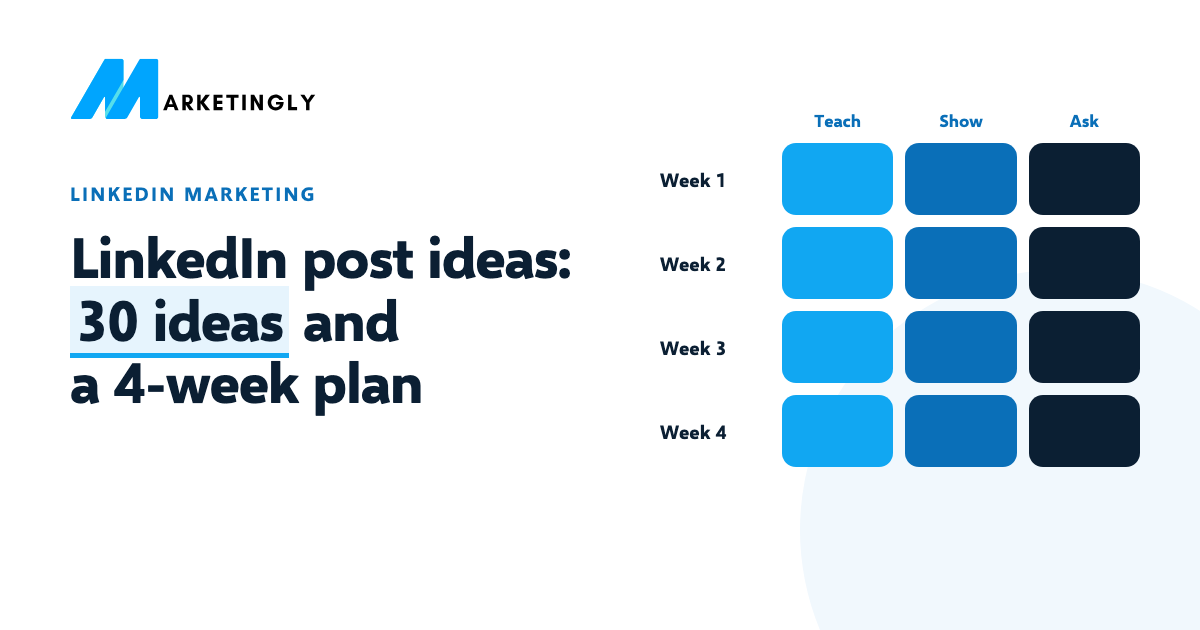
Three posts a week, one from each kind: teach, show your work, start a conversation. Copy it, swap in your own topic and move ideas around as you like.
| Post 1: teach | Post 2: show your work | Post 3: start a conversation | |
|---|---|---|---|
| Week 1 | A mistake you see often | What you are working on this week | Ask for opinions |
| Week 2 | A short how-to | A customer story | A poll with a reason |
| Week 3 | A myth in your industry | A lesson from a project that went wrong | A template |
| Week 4 | A number from your own work | Why you started | React to news in your industry |
After four weeks, look at which posts got comments and new followers, and do more of those in the next month.
How to write the post #
- Start with the point. Only the first lines show before “see more”, so the opening line has to say why the post is worth reading.
- Write short lines. Most people read on a phone. Leave space between ideas.
- Use your own words. Write like you talk to a customer. Edit AI drafts until they sound like you.
- Give one takeaway. One idea per post is easier to remember and to share.
- Reply to comments. The conversation under a post is part of the post.
A post on LinkedIn can be up to 3,000 characters, and you can save a draft and finish it later, including on another device (from LinkedIn’s help page Post and share updates, checked 6 November 2026). Most good posts are much shorter than the limit.
A worked example #
Here is idea 1, “a mistake you see often”, turned into a full post for someone who runs ads for small businesses:
Most small businesses set their ad budget before they know one number: their break-even ROAS.
That is the lowest return at which the profit from your sales just covers what you spent on ads.
If your profit margin is 25%, you need $4 back for every $1 you spend before you make a single dollar of profit.
Below that, every sale loses money, even when the dashboard looks good.
Work it out before you set the budget. What margin are you working with?
It opens with the mistake, explains it with one worked number, and ends with a question people can answer. If you want to check the maths, our free ROAS calculator works out break-even ROAS from your margin.
Questions about LinkedIn posts #
What should I post on LinkedIn if I have nothing to say? #
Start with the questions customers or colleagues asked you this week. Answer one of them in a short post. You know more than you think, and the things that feel obvious to you are often new to someone else.
How often should I post on LinkedIn? #
Often enough that you can keep it up. For most people that is two or three times a week. A steady rhythm for months matters more than a burst of daily posts that stops.
Should a business post from the company page or from people’s profiles? #
Both. People usually connect with people more than with logos, so founders and team members should post from their own profiles, and the company page can share guides, news and job openings. Reshare company page posts from your profile when they matter to you.
How long should a LinkedIn post be? #
Long enough to make one point clearly. The limit is 3,000 characters, but many good posts are a few short lines. Cut anything that does not help the reader.
Want more people to see your posts? Read how to get more followers on LinkedIn and how to write a connection request message people accept.